Table of Contents >> Show >> Hide
- What you’ll learn
- Why “fast” usually means “focused”
- Way 1: Pick the right target (and shrink it)
- Way 2: Put it on the calendar (timeboxing + sprints)
- Way 3: Reduce friction (batch, template, automate)
- Common pitfalls (and quick fixes)
- Wrap-up: Fast is a habit, not a personality trait
- Real-Life Speed Wins: What People Actually Do to Get Things Done Fast (Experiences)
“Fast” has a reputation problem. People hear it and picture frantic typing, cold coffee, and that one coworker
who says, “Quick question…” and then steals 47 minutes of your lifespan.
But getting things done fast usually doesn’t mean moving faster. It means moving cleaner: fewer restarts,
fewer context switches, fewer “Wait, what was I doing?” moments. In other words, speed is often just
focus + clarity + lower friction.
Below are three practical ways to get things done fasterwithout turning your day into an Olympic sprint.
Each method comes with specific steps, real-world examples, and a few gentle reminders that you are, in fact,
a human and not a productivity Roomba.
Why “fast” usually means “focused”
Here’s the uncomfortable truth: most people don’t lose time because they’re slow.
They lose time because they’re switching.
When you bounce between tasksemail, spreadsheet, Slack, back to the spreadsheet, then “just one quick tab”
your brain pays a “switching cost.” You don’t teleport from one task to the next; you carry mental residue.
That residue shows up as rereading, reorienting, and rebuilding momentum from scratch.[1]
That’s why “multitasking” often feels productive (you’re busy!) but performs like a leaky bucket.
Research on heavy multitasking consistently points to more distraction and weaker filtering of irrelevant inputs,
which is basically the opposite of “fast.”[2]
So, if you want speed, the play is simple:
reduce switching and increase uninterrupted progress.
Way 1: Pick the right target (and shrink it)
The fastest way to finish is to stop trying to finish everything.
You don’t need a longer to-do list. You need a smarter “what matters most” filter.
Step 1: Choose 1–3 “Most Important Tasks” (MITs)
Start by asking: “If I only finish three things today, what makes the day a win?”
Not “urgent,” not “loud,” not “someone else’s fire.” The real win conditions.
- MIT #1: The task that moves your biggest goal forward.
- MIT #2: The task that prevents future pain (deadlines, renewals, follow-ups).
- MIT #3: The quick-but-meaningful task that builds momentum.
Why this works: your day has a fixed number of high-energy minutes. Spend them on the few tasks with the
highest payoff, and “fast” becomes a natural byproduct.
Step 2: Define “done” in one sentence
Vague tasks are slow tasks. “Work on budget” is a swamp. “Finish Q1 budget draft and send to finance” is a
paved road.
Use this template:
Verb + Deliverable + Destination.
- Draft the one-page project update in Google Docs and email it to the team.
- Pay the invoice in the portal and save confirmation to the folder.
- Call the client with three agenda points and log notes in the CRM.
Step 3: Turn “projects” into next actions (not feelings)
Projects don’t get done. Next actions get done. If you can’t do it in one sitting, it’s a project.
Capture the next physical, visible action you can take from where you are.[3]
Example:
- Project: “Launch onboarding improvements.”
- Next action: “Open last month’s support tickets and copy the top 10 onboarding complaints into a doc.”
Step 4: Use the Two-Minute Rule to prevent pile-ups
Small tasks are sneaky. Individually, they’re harmless. Collectively, they form a bureaucratic hydra.
The Two-Minute Rule says: if you can complete a task in about two minutes, do it immediately rather than
storing, sorting, and re-seeing it later.[4]
This is not permission to become a squirrel who abandons deep work for every tiny distraction.
It’s a targeted cleanup toolbest used during set “admin windows” (more on that below).
Quick example: The Monday-morning speed setup
Let’s say you start Monday with 26 open loops: emails, approvals, a report, and three “quick calls.”
Fast version:
- Pick 3 MITs.
- Define “done” for each MIT.
- Write the next action for any MIT that feels sticky.
- Clear 5–10 two-minute tasks in one sweep (then stop).
Way 2: Put it on the calendar (timeboxing + sprints)
To-do lists are infinite. Calendars are honest.
If you want to get things done fast, move from “I hope I get to it” to “It’s scheduled.”
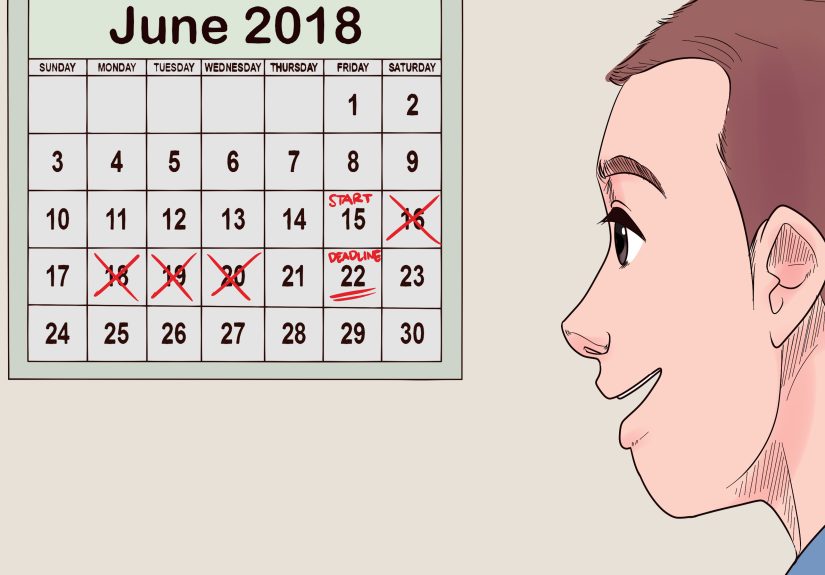
Step 1: Timebox your day (merge to-dos with time)
Timeboxing means assigning a specific block of time to a taskand treating it like a real appointment.
This approach is widely recommended because it forces prioritization and reduces open-ended work.[5]
Start simple:
- One 60–90 minute focus block for your #1 MIT.
- Two 30-minute admin blocks for email/messages.
- A 15-minute wrap-up to plan tomorrow.
If you’re thinking, “My calendar is already full,” that’s not a timeboxing problemthat’s a boundaries and
meeting-hygiene problem. (Also: condolences.)
Step 2: Use sprint-style focus (Pomodoro or “focus sessions”)
The Pomodoro Technique is a simple structure: work in short, intense bursts (often ~25 minutes), then take a
short break. The point isn’t the tomato-themed vibe; it’s managing fatigue and protecting momentum by
building breaks in on purpose.[6]
A practical version for real jobs:
- 25–45 minutes: single task, no switching
- 5–10 minutes: stand up, water, quick reset
- Repeat 2–4 times, then take a longer break
Why it speeds you up: you’re not “waiting to feel motivated.” You’re using a timer to create a start line.
Step 3: Protect focus time like it’s a scarce resource (because it is)
Modern work is interruption-rich. Studies of workplace interruptions and attention show that disruptions
increase stress and add time due to reorientation (even when you think you “handled it quickly”).[7]
The fastest people aren’t superhumanthey’re harder to interrupt.
Try:
- Turn off nonessential notifications for your focus block.
- Close email and chat tabs while writing or analyzing.
- Put your phone in another room (yes, really).
- Schedule “focus time” proactively if your tools support it.[8]
Quick example: Writing a report fast (without hating your life)
- Timebox 60 minutes: create the outline and headings only (no perfect sentences).
- Pomodoro x2: fill in sections with bullet points and rough data.
- Timebox 20 minutes: rewrite for clarity and add transitions.
- Timebox 10 minutes: final pass for formatting and obvious mistakes.
Notice what’s missing: “Wait until I’m in the mood to be brilliant.”
Mood is not a project management strategy.
Way 3: Reduce friction (batch, template, automate)
If Way 1 is “pick the right work” and Way 2 is “protect time to do it,” Way 3 is “make the work easier to do.”
This is where you get compounding speed.
Step 1: Batch small tasks so they stop hijacking big tasks
Task batching means grouping similar tasks together (email, approvals, scheduling) and doing them in one
dedicated block. This reduces mental setup costs and prevents “tiny tasks” from fragmenting your day.[9]
A simple batching plan:
- Messages: 11:30 AM and 4:30 PM (not all day)
- Approvals: right after lunch
- Calls: stacked back-to-back in one window
You can still handle true emergencies. But most things aren’t emergenciesthey’re just impatient.
Step 2: Create “defaults” (templates, checklists, and decision rules)
Re-deciding things is slow. Defaults are fast.
Anywhere you repeat work, create a reusable asset:
- Email templates: scheduling, follow-ups, requesting info
- Checklists: publishing a blog post, onboarding a client, closing the month
- Decision rules: “If it’s under $X, approve it,” or “If it doesn’t support an MIT, it waits.”
Templates don’t make your work robotic; they remove the boring part so you can spend brainpower on the part
that actually needs a brain.
Step 3: Design your environment to make the right action the easy action
Friction is sneaky. If the “good” workflow is five clicks and the “bad” workflow is one click, your future self
(who is tired and hungry) will choose the one-click option.
Reduce friction with:
- One-tab rule: during focus time, keep only the tabs needed for the task.
- File hygiene: one obvious folder for active work, not 17 “final_final2” versions.
- Prep cues: open the doc, set the timer, write the first sentence starter.
- Distraction barriers: website blockers, phone out of reach, Do Not Disturb.
Quick example: Getting household chores done fast
Chores drag because they sprawl. Try this:
- Batch: do “all pickup” first (trash, dishes, laundry).
- Timebox: 20 minutes for surfaces, 15 minutes for floors.
- Default: keep a pre-packed cleaning caddy so you don’t go on a scavenger hunt mid-clean.
You’re not “motivated.” You’re just removing the little frictions that turn a 30-minute job into a 2-hour saga.
Common pitfalls (and quick fixes)
Pitfall 1: Timeboxing a fantasy life
If you schedule 8 hours of deep work plus meetings plus errands plus “becoming a new person,” you’ll fail,
then blame yourself instead of the math.
Fix: Schedule 60% of your day. Leave 40% as reality buffer.
Pitfall 2: Using the Two-Minute Rule as an excuse to never start the big thing
Two-minute tasks are addictive because they give quick dopamine. Deep work is slower dopamine with better
long-term returns.
Fix: Only do two-minute tasks inside admin batches, not inside focus blocks.
Pitfall 3: “Productivity cosplay” (tools instead of output)
If you spend 45 minutes color-coding your task manager, congratulationsyou have built a beautiful museum
exhibit about work you are not doing.
Fix: One tool, one list, one calendar. If it doesn’t reduce time-to-finish, it’s decoration.
Pitfall 4: Treating your energy like it’s constant
Your brain doesn’t perform the same at 9:00 AM and 9:00 PM. Schedule your hardest MIT when your energy is
naturally highest, and batch low-brain tasks when you’re lower.
Fix: Match task type to energy level. Big thinking first; admin later.
Wrap-up: Fast is a habit, not a personality trait
If you want to get things done fast, don’t chase speed directly. Chase the inputs that create speed:
- Way 1: Pick the right target and shrink it into next actions.
- Way 2: Timebox real focus and work in sprints.
- Way 3: Reduce friction by batching, templating, and designing your environment.
Do these consistently and you’ll look “naturally productive”which is a fun myth other people will tell
about you while you quietly enjoy finishing work on time.
Real-Life Speed Wins: What People Actually Do to Get Things Done Fast (Experiences)
Below are five common, real-world scenarios people describe when they’re trying to “move faster”and the
practical tweaks that reliably help. Think of these as experience-based patterns: not magic, not hype, just
the stuff that tends to work when Monday is being especially Monday.
1) The “Inbox Pinball” problem
People often report starting the day with good intentions, then immediately getting pulled into email and chat.
Forty-five minutes later, they’ve answered seven messages, scheduled two meetings, and accomplished exactly
none of the work that actually matters. The fix that shows up again and again is brutally simple: timebox a
first focus block before opening inboxessometimes even 30 minutesand write one “definition of done” line
at the top of the document. The funny part is how small this feels compared to the results. Once the big task
has momentum, messages stop feeling like a life-or-death emergency and start feeling like what they are:
messages.
2) The “Giant Task With No Handle” problem
Another common experience: a task like “launch the campaign” or “fix onboarding” becomes so vague that people
avoid it. They’re not lazythey just don’t know where to start. Speed appears the moment they convert it into a
next action that can be completed in 10–20 minutes: “Draft the email subject lines,” “Pull last month’s metrics,”
or “Write the first outline.” Once there’s a handle, they can pick it up. Without a handle, they keep circling it
like a confused Roomba bumping into furniture.
3) The “Perfection First Draft” trap
Plenty of people say they lose hours trying to write the perfect first versionespecially on reports, proposals,
or posts. The faster approach that consistently helps is separating creation from polishing. They timebox the
outline first, then fill sections with ugly bullets, then rewrite for clarity at the end. This feels wrong to
perfectionists because it looks messy mid-process. But speed comes from letting the draft be a draft. The
sentence doesn’t need to be beautiful at 10:07 AM; it needs to exist. Beauty can show up at 11:40.
4) The “Tiny Tasks Ate My Afternoon” situation
People also describe the death-by-a-thousand-admin-cuts problem: approvals, quick forms, tiny follow-ups, and
“can you just” requests. The consistent fix is batching plus a lightweight rule set. They create two admin windows
and funnel small items there. Inside those windows, the Two-Minute Rule becomes a superpower: tiny tasks get
done immediately so they don’t multiply. Outside those windows, tiny tasks wait. The first week feels scary
(“What if someone needs me?”), and then it feels liberating (“Oh. The world didn’t end. Interesting.”).
5) The “Distraction Is One Click Away” reality
A final experience many people mention: they don’t even choose to get distractedit just happens. One tab leads
to another, and suddenly they’re reading a thread about a toaster that “changed someone’s life.” The most reliable
improvement is environment design: phone out of reach, notifications off, only the necessary tabs open, and a timer
running so the brain has a track to stay on. People are often surprised by how much faster they work when the
temptation isn’t constantly waving at them from the corner of the screen. It’s not about willpower. It’s about
reducing the number of times you have to use willpower.
The pattern across all five experiences is the same: speed comes from fewer restarts, clearer “done,” and fewer
decisions that don’t matter. The goal isn’t to cram more into lifeit’s to stop paying extra time-tax on the same
tasks because the system is leaky.