Table of Contents >> Show >> Hide
- What Counts as a “Broken Charger”?
- 1. Start With the Most Boring Test First: Check the Outlet
- 2. Inspect the Cable Like a Detective With Trust Issues
- 3. Clean the Charging Port the Right Way
- 4. Check for Moisture Before You Try to “Fix” Anything Else
- 5. Remove the Case and Check the Fit
- 6. Restart the Phone Before Declaring a Hardware Disaster
- 7. Make Sure the Adapter and Cable Actually Match the Job
- 8. Stop Charging a Hot Phone Like It’s a Race
- 9. Look for Signs the Port or Battery Needs Professional Help
- 10. Know When Replacement Beats Repair
- What Not to Do
- Final Thoughts
- Experience-Based Lessons: What Real Charger Problems Usually Feel Like
- SEO Tags
There are few modern tragedies more annoying than plugging in your phone at 9% and realizing your charger has decided to become an abstract concept. One second you’re expecting a peaceful recharge, and the next you’re performing cable yoga, tilting your phone at a suspicious angle, and bargaining with electricity like it’s a moody landlord.
The good news is that a “broken charger” is often not truly broken. In many cases, the real problem is a dirty charging port, a worn cable, a weak adapter, moisture in the port, overheating, or a loose connection caused by everyday wear. In other words, your charger may not be dead. It may just be dramatic.
This guide walks through 10 practical tips to fix an iPhone or Android charger safely, with special attention to the most common real-world charging problems. You’ll also learn when a quick fix makes sense, when a charger needs replacing, and when your phone itself may be the issue. If you want better charging performance without frying your cable, your wall brick, or your patience, this is where to start.
What Counts as a “Broken Charger”?
Before grabbing tools or ordering a replacement cable at midnight, it helps to define the problem. A charger setup usually includes three parts: the cable, the power adapter, and the phone’s charging port. Wireless charging adds a charging pad or stand into the mix. If any one of those pieces fails, charging can become slow, intermittent, or impossible.
Common symptoms include a phone that charges only when the cable is bent a certain way, a charger that gets unusually hot, a connection that keeps cutting in and out, an iPhone showing an accessory warning, or an Android phone displaying a moisture or debris message. Once you know which piece is misbehaving, fixing it gets much easier.
1. Start With the Most Boring Test First: Check the Outlet
Yes, really. Before you blame your cable, your phone, or the universe, test the wall outlet. Plug the charger into another outlet and see whether the phone begins charging normally. If you’re using a power strip or extension setup, plug the charger directly into the wall instead. Sometimes the problem is not your phone charger at all. It is the power source quietly failing in the background like an underpaid extra in a disaster movie.
If the charger works in a different outlet, you’ve already solved half the mystery. The cable and adapter may be fine, and the issue is simply the original power source. This is one of the fastest and most overlooked ways to fix an iPhone charger or Android charger that suddenly stops working.
2. Inspect the Cable Like a Detective With Trust Issues
The charging cable is the usual suspect, and for good reason. It gets bent, twisted, stuffed into bags, slept on, yanked from outlets, and wrapped around power bricks like it owes them money. Over time, internal wires can weaken even if the outside looks only slightly worn.
Look closely at both ends of the cable. If you see fraying, discoloration, exposed wire, cracking near the connector, a loose USB-C or Lightning tip, or a section that feels oddly soft or thin, stop using it. A damaged charger cable is not a personality quirk. It is a replacement candidate.
If the cable looks mostly normal, test it with another phone or another compatible charger. If it fails in multiple setups, the cable is the problem. If another cable works fine with your phone and adapter, congratulations: you found the troublemaker without sacrificing an afternoon.
3. Clean the Charging Port the Right Way
This tip solves more “broken charger” complaints than most people realize. Pocket lint, dust, crumbs, and microscopic mystery debris can collect inside a charging port and stop the connector from seating properly. The result is a charger that feels plugged in but refuses to charge consistently.
Turn off the phone first. Then inspect the port under good lighting. If you see debris, clean it gently. Use a soft, dry brush or a careful puff of air. If you are using a non-metal tool, be extremely gentle. The goal is not to excavate ancient ruins. The goal is to remove lint without damaging the pins inside the port.
Never jam in anything sharp or aggressive. A charging port is not the place for wild confidence. If the cable suddenly clicks in more firmly after cleaning and charging resumes, you were never dealing with a bad charger at all. You were dealing with pocket fuzz sabotage.
4. Check for Moisture Before You Try to “Fix” Anything Else
If your iPhone or Android phone has been near water, steam, sweat, rain, or a humid bathroom, moisture may be blocking charging as a safety measure. This is especially common with newer Android phones that display moisture-detection warnings and with iPhones that warn about liquid in the connector.
Do not force the charger in repeatedly. Do not try to out-stubborn the phone. Let the device dry completely at room temperature. Keep it unplugged, set it down in a dry place, and give it time. In many cases, the charging problem resolves on its own once the port is fully dry.
If your phone supports wireless charging, that may work while the port dries. But if your wired charger is being blocked by moisture detection, the phone is doing exactly what it should. It is protecting the device from corrosion and possible damage. In this case, patience is not just a virtue. It is the repair strategy.
5. Remove the Case and Check the Fit
Some cases are excellent at protecting phones and terrible at cooperating with chargers. A bulky case, dust plug, warped opening, or misaligned cutout can prevent the cable from seating fully. On wireless chargers, a thick case or poorly placed magnetic accessory can interfere with charging altogether.
Take the case off and test the charger again. If charging suddenly works, the case is the issue. The same idea applies to wireless charging pads. Center the phone properly and remove anything attached to the back that could interfere with alignment. Sometimes the charger is fine, but the case is playing defense for the wrong team.
6. Restart the Phone Before Declaring a Hardware Disaster
It sounds simple, but software glitches can affect charging behavior. Your phone may not recognize the charger correctly, may freeze the battery indicator, or may stop fast charging after a system hiccup. Restarting the device can clear temporary issues and restore normal charging.
This is especially useful when the phone shows signs of charging but the battery percentage doesn’t rise as expected. If the phone restarts and begins charging normally, you likely had a software hiccup rather than a dead charger. Boring fix? Yes. Effective fix? Also yes.
7. Make Sure the Adapter and Cable Actually Match the Job
Not all chargers are created equal. Some cables support charging only at lower speeds. Some power adapters are too weak for modern fast charging. Some cheap third-party accessories look convincing but perform like they were assembled during a lunch break.
If your phone charges painfully slowly, try a known-good charger and a high-quality compatible cable. For iPhone users, unsupported or damaged accessories can trigger warnings. For Android users, especially on USB-C devices, the wrong cable or underpowered adapter can make charging inconsistent or much slower than expected.
If your setup only works with one adapter or one cable, that tells you a lot. The fix may not be repairing the charger at all. It may be replacing the weak link with a certified, compatible accessory that can deliver the correct power safely.
8. Stop Charging a Hot Phone Like It’s a Race
Heat is a major reason chargers seem flaky. If your phone is hot from gaming, navigation, streaming, direct sunlight, or being trapped under a pillow like a tiny overheating burrito, charging may slow down or stop temporarily. The same goes for a charger brick or cable that becomes unusually hot during use.
Unplug the charger, move the phone to a cooler area, and let everything return to room temperature. Then try again. If charging resumes normally once the device cools, overheating was the likely cause.
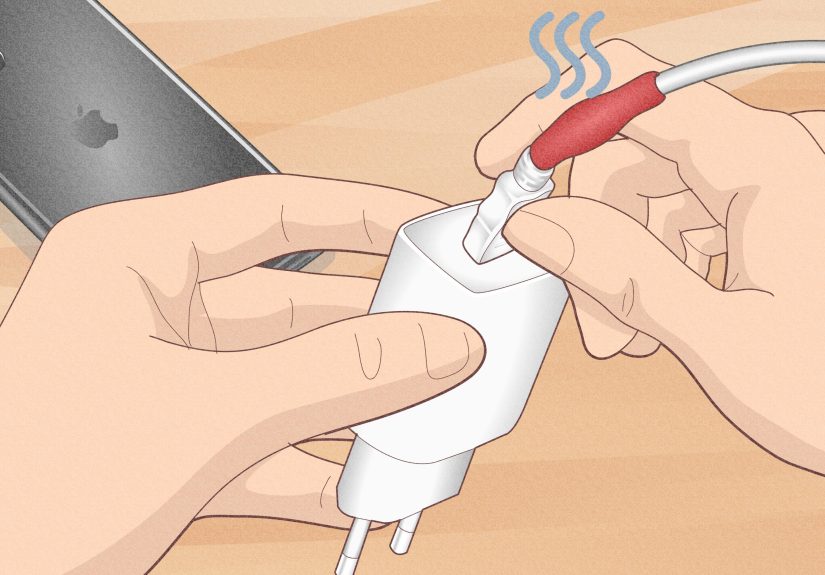
Also pay attention to repeated heat. A charger that gets slightly warm can be normal. A charger that becomes very hot, smells odd, or shows discoloration is not a fixer-upper project. It is a safety issue. Replace it.
9. Look for Signs the Port or Battery Needs Professional Help
If your charger only works when held at a weird angle, the port may be loose, bent, or damaged. If charging cuts in and out even after cleaning, swapping cables, changing outlets, and restarting the phone, the problem may be internal. That can include worn port contacts, corrosion, or battery issues.
Watch for red flags such as wobbling connectors, visible burns, a melted smell, a bulging phone, random shutdowns, or charging that drops instead of rises while plugged in. Those symptoms point beyond basic charger troubleshooting.
This is the moment to stop improvising and get the phone inspected by a professional repair service or the manufacturer’s support channel. Trying to “save” a clearly damaged charging setup can cost more later, especially if it leads to port damage or battery failure.
10. Know When Replacement Beats Repair
Here is the truth nobody wants to hear when emotionally attached to a faithful old cable: some chargers should not be fixed. They should be retired with dignity.
If a cable has exposed wires, a bent connector, burn marks, or intermittent charging after repeated troubleshooting, replace it. If a wall adapter is cracked, buzzing, scorching hot, or unreliable, replace it. If a power bank is part of a safety recall, stop using it immediately. Taping over a frayed cable might look clever for an afternoon, but it is not a smart long-term fix. It is a small electrical gamble disguised as thrift.
In short, fix what is safe to fix, like debris, moisture, wrong setup, or software glitches. Replace what is physically damaged. That is the smartest way to repair a phone charger problem without turning it into a bigger one.
What Not to Do
When trying to fix an iPhone or Android charger, avoid these common mistakes:
- Do not keep using a frayed or scorched cable.
- Do not clean the port with anything metal.
- Do not plug a wet phone into a charger.
- Do not overload outlets with sketchy charging setups.
- Do not assume every cheap cable supports fast charging.
- Do not ignore overheating, burning smells, or swelling.
Those “quick fixes” tend to create the kind of problems that cost real money.
Final Thoughts
Most phone charger problems are less dramatic than they feel in the moment. Usually, the answer is not a full hardware failure. It is lint in the port, a tired cable, a weak adapter, moisture, heat, or a mismatch between the charger and the phone. That is good news, because those problems are often easy to diagnose and sometimes easy to fix.
The smartest approach is simple: test the outlet, inspect the cable, clean the port carefully, rule out moisture, try a compatible charger, cool everything down, and replace damaged accessories before they become safety risks. If your phone still refuses to charge after all that, the charger may not be the problem anymore. The port or battery may need professional attention.
So yes, you can often fix an iPhone or Android charger issue. Just do it with patience, a little caution, and far less optimism about that cable you have folded into a knot for the past year.
Experience-Based Lessons: What Real Charger Problems Usually Feel Like
If you have ever owned a smartphone for more than six months, you probably know the classic charger drama by heart. At first, everything is smooth. The cable slides in neatly, the battery icon behaves, and life feels beautifully modern. Then one day, charging starts becoming weird. Not fully broken. Just weird. The phone charges only on one side of the bed. Or only in one outlet. Or only if you hold the cable like you are defusing a bomb in a low-budget action movie.
One of the most common experiences is the “angle trick.” People assume the cable has gone bad because the phone only charges when the connector is tilted slightly upward. In reality, that often means the charging port is packed with lint. The cable cannot go all the way in, so it sits loosely and loses contact. Many people are shocked by how much debris comes out of a port that looked perfectly fine from the outside. It is one of those annoyingly simple fixes that feels almost rude once you discover it.
Another familiar situation is the “overnight charge that did basically nothing.” You plug in at 11 p.m., wake up expecting 100%, and find 27% staring back at you like it has no idea what went wrong. That experience often points to a weak adapter, a damaged cable, or a charger setup that is technically working but delivering power far too slowly. It can also happen when the phone got too hot during the night or when a background-heavy app kept the device busy while charging.
Then there is the post-travel charger meltdown. Cables tossed into backpacks, wrapped too tightly, stepped on in airports, stuffed into hotel outlets, and borrowed by everyone in a three-seat radius do not always come back in top shape. A charger that worked perfectly before a trip may suddenly become unreliable afterward, not because travel is cursed, but because cables hate rough handling more than they let on.
Moisture-related charging problems also catch people off guard. A phone does not have to take a swim to complain. Plenty of users see moisture warnings after using the phone in a humid bathroom, carrying it during a sweaty workout, or getting caught in light rain. The charger seems broken, but really the phone is protecting itself. That can be frustrating in the moment, especially when your battery is low, but it is far better than quietly corroding the port.
Wireless charging has its own comedy routine. People place the phone on the pad, see the charging symbol appear, walk away feeling victorious, then return to find the battery barely moved. Usually the phone shifted, the case was too thick, or a ring, wallet, or magnet on the back interfered with alignment. Wireless charging is convenient, but it can also be a little diva-like about positioning.
The biggest lesson from all these experiences is that charger problems are often small at first. A tiny wobble, a little extra heat, a brief disconnect, a slower-than-usual charge. Catching those clues early can save you from a dead cable, a damaged port, or a charger that fails at the worst possible moment. In other words, the best charger fix is often not heroic. It is simply paying attention before your phone starts living on 3% and bad decisions.