Table of Contents >> Show >> Hide
- Before You Start: Confirm It’s Not Just a Normal Slump
- 1) Check Account Status Like It’s Your Instagram Credit Score
- 2) Remove (or Edit) the Content That’s Getting You Filtered
- 3) Request a Review (Appeal) Where You’re Eligible
- 4) Cut Off Automation, Bots, and “Growth Tools” That Look Like Spam
- 5) Do a Hashtag Audit (Without Obsessing Like It’s a Crime Scene)
- 6) Clean Up Your Profile Signals (Bio, Links, and “Trust” Stuff)
- 7) Post “Recommendation-Friendly” Content for 2 Weeks (Yes, Like a Reset)
- 8) Slow Down, Then Track the Right Metrics (Don’t Panic-Post)
- What NOT to Do (Common “Fixes” That Usually Make Things Worse)
- FAQ: Quick Answers About Instagram Shadowbans
- Conclusion: “Unshadowbanning” Is Really About Restoring Trust
- Extra (500+ Words): Real-World Experiences Creators Report When Recovering From a Shadowban
First, a tiny reality check (with love): Instagram doesn’t officially hand out “shadowbans” like a librarian shushing you into the void. The word shadowban is internet slang for what usually looks like reduced reach, hashtags not working, or your posts suddenly going invisible to non-followers.
What Instagram does officially talk about is Account Status, Recommendation Eligibility, and content that may be less eligible for Explore, Reels recommendations, and hashtag discovery. Translation: your content might still show to followers, but it stops getting “introduced” to strangers. That’s the party most creators think they got uninvited from.
This guide focuses on the most reliable, platform-approved ways to get your reach backno gimmicks, no “hack the algorithm” nonsense, and no advice that violates Instagram’s rules. Because the fastest way to “unshadowban” is to stop triggering the exact signals that got your distribution limited in the first place.
Before You Start: Confirm It’s Not Just a Normal Slump
Instagram reach naturally swings. One week your Reel hits the Explore page; the next week your best friend’s dog gets more views than your entire brand strategy. So do a quick gut-check before you panic-clean your account like it’s spring cleaning with emotional damage:
- Compare apples to apples: check the last 5–10 posts vs. your baseline (same content type, similar day/time).
- Look at non-follower reach: a “shadowban-looking” issue often shows up as a sharp drop in non-follower impressions.
- Check recent changes: did you switch niches, post style, hashtags, or start using a new scheduling tool?
If your non-follower reach fell off a cliff and your content isn’t showing in hashtag results, keep going. You’re in the right place.
1) Check Account Status Like It’s Your Instagram Credit Score
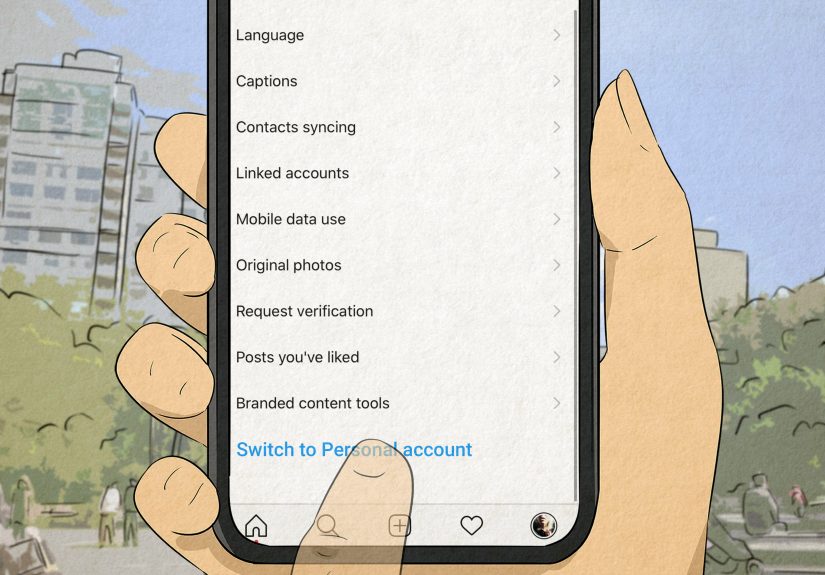
If you do one thing today, do this. Instagram’s Account Status is the closest thing you’ll get to an official explanation of what’s limiting your account. It can show removed content, features you can’t use, and whether your account is eligible to be recommended.
What to do
- Go to your Profile → tap the menu (three lines) → Settings and activity → Account Status.
- Open each category and read the details. Don’t just glance for green checkmarks and declare victory.
- If something is flagged, note the content type (post, Reel, caption, comment) and the reason category.
Why this works: If Instagram is actively limiting recommendation eligibility, this is where you’re most likely to see it. Think of Account Status as the “Check Engine” light for content distribution.
Example: A fitness creator posts a “before/after” transformation with aggressive wording (“I was disgusting before!”). Even if it’s not removed, it may be treated as borderline sensitive content and become less eligible for recommendation surfaces. Account Status can help you spot patterns like this early.
2) Remove (or Edit) the Content That’s Getting You Filtered
If Account Status points to specific posts or categories, don’t negotiate with it like it’s a parking ticket. Your goal is to clean up the stuff that’s limiting reachthen give the system time to re-evaluate you.
What to do
- Delete or edit posts flagged in Account Status (when editing is possible).
- Review your last 10–20 posts for anything that may be borderline: sensational claims, misleading info, harassment-y captions, risky giveaways, spammy calls-to-action, or repeated “copy-paste” captions.
- If you’re reposting content, avoid watermarked reposts and low-quality “re-uploads.” Originality matters for recommendations.
Why this works: Instagram’s recommendation systems aim to reduce distribution of content that violates rules or sits uncomfortably close to them. Even if followers still see it, recommendation surfaces may quietly throttle it.
Quick mindset shift: You’re not trying to “trick” Instagram. You’re proving you can be safely recommended to strangers.
3) Request a Review (Appeal) Where You’re Eligible
If Instagram says something was removed or your account isn’t eligible to be recommended, you may have an option to Request a Review right inside Account Status. Use it when you genuinely believe a mistake was made.
What to do
- In Account Status, tap the issue → choose Request a Review (if available).
- Keep your appeal short, factual, and calm. (Instagram is not your ex. Don’t write a breakup novel.)
- If the decision involves removed content, follow the on-screen process and check back for updates.
Why this works: If you were incorrectly flagged, an official review is the cleanest path to restoring eligibility. It also creates a clear record that you tried to resolve it through the platformnot through random “shadowban checkers” that want your login.
Pro tip: If your account is important to your business, keep backups of key assets (content files, customer FAQs, product links, brand photos). Platform access can change quickly, and resilience beats panic every time.
4) Cut Off Automation, Bots, and “Growth Tools” That Look Like Spam
If you’re using anything that auto-follows, auto-likes, auto-comments, mass-DMs, or promises “viral growth,” stop. Even if it “worked” once, it can also set off spam signalsespecially if your activity suddenly spikes.
What to do
- Remove suspicious third-party access (especially anything that asks for your password directly).
- Change your password and turn on two-factor authentication if you haven’t already.
- Return to normal, human behavior: consistent posting, real comments, no rapid-fire engagement bursts.
Why this works: Spam-like patterns are one of the fastest ways to get distribution limited. Instagram protects users from manipulation, and automation often looks like manipulationeven when you “didn’t mean it that way.”
Example: A small business starts a new promotion and suddenly comments the same line on 200 posts in one hour. That can resemble spam, even if the intent was “networking.” A slower pace and more varied, genuine comments typically performs better and looks healthier.
5) Do a Hashtag Audit (Without Obsessing Like It’s a Crime Scene)
Hashtags aren’t dead, but they are picky. If your hashtags suddenly stop bringing any discovery, it could be because:
- You’re using irrelevant hashtags (misleading categorization).
- You’re repeating the same set too often (spam-like pattern).
- You’re using hashtags associated with spammy content clusters.
What to do
- Edit captions on recent posts and remove hashtags that are irrelevant or “too broad to mean anything.”
- Use fewer, more specific hashtags that actually match the post (think topic + format + audience).
- Rotate hashtag sets. Keep them relevant and fresh instead of copy-pasting the same 30 forever.
Why this works: Instagram wants hashtags to help people find contentnot to help creators spray their posts into every category like a glitter cannon.
Example hashtag strategy (for a home baker): Instead of #food #yummy #instagood, try a tighter mix like #sourdoughstarter #homebakingtips #crumbshot #weekendbakes #breadloversclub.
6) Clean Up Your Profile Signals (Bio, Links, and “Trust” Stuff)
Profiles that look scammy, misleading, or constantly changing can struggle with recommendation trusteven if the content is fine. You don’t need to look “corporate.” You need to look real.
What to do
- Use a consistent username/name that matches your niche.
- Avoid “spammy bio language” (too many all-caps claims, unrealistic promises, or aggressive sales copy).
- Use a stable link strategy (one clear destination is better than a revolving door of sketchy URLs).
- If you run promotions, keep them transparent: clear rules, no misleading claims, no bait-and-switch.
Why this works: Recommendation systems try to protect users. A clean, consistent profile lowers friction and increases trust signals over time.
7) Post “Recommendation-Friendly” Content for 2 Weeks (Yes, Like a Reset)
Once you’ve fixed violations and spam triggers, your next job is to post content that is easy for Instagram to recommend with confidence. Think of it as rebuilding a reputationone normal, high-quality post at a time.
What to post (and what to avoid)
- Do: original videos, clear educational carousels, behind-the-scenes, Q&A Reels, step-by-step tutorials, authentic storytelling.
- Do: captions that match the content (no bait captions that mislead viewers).
- Avoid: borderline content designed to shock, bait, or provoke reports.
- Avoid: recycled content with heavy watermarks or obvious reposting patterns.
Why this works: Instagram’s recommendation surfaces are designed around user safety and satisfaction. If your recent content history looks safe, consistent, and original, recommendation eligibility often improves.
Example “reset week” plan:
- Day 1: Helpful carousel (“3 mistakes beginners make with X”)
- Day 3: Short Reel tutorial (15–25 seconds, clear hook, clean visuals)
- Day 5: Behind-the-scenes (how you create your product/process)
- Day 7: Q&A sticker in Stories + one Reel answering the best question
8) Slow Down, Then Track the Right Metrics (Don’t Panic-Post)
After you clean up, the temptation is to post 14 times a day like you’re trying to brute-force the algorithm. That can backfire. A healthier approach is to post consistently and measure recovery with the right signals.
What to watch
- Non-follower reach (does it gradually return?)
- Hashtag impressions (do they move from zero to normal range?)
- Saves and shares (strong “value” signals for recommendations)
- Watch time on Reels (quality beats quantity)
Why this works: When your account is recovering, the trend line matters more than one post’s performance. Look for steady improvement over 7–14 days, not instant fireworks.
What NOT to Do (Common “Fixes” That Usually Make Things Worse)
- Don’t buy followers or engagement. Fake activity creates suspicious patterns and weakens trust.
- Don’t use sketchy “shadowban checker” tools that ask for logins. If it’s not Instagram, treat it like a random USB stick you found in a parking lot.
- Don’t keep repeating the same behavior while hoping for different results (that’s not optimism; that’s an algorithmic horror movie).
- Don’t mass-delete everything. If you have violations, remove the problematic contentbut nuking your whole feed can remove your own proof of consistency and quality.
FAQ: Quick Answers About Instagram Shadowbans
Does Instagram officially admit “shadowbans”?
Not usually in that exact word. But Instagram does talk about content and accounts being less eligible for recommendation and provides transparency through Account Status and recommendation-related policies.
How long does it take to get unshadowbanned?
It depends on what caused the limitation. If you had a clear violation and removed/appealed it, you may see improvement sooner. If your account activity looks spammy, it can take longer for trust to rebuild. Think in terms of days to a couple of weeks, not minutes.
My hashtags are “not working.” Is that always a shadowban?
No. Hashtag reach can drop due to relevance, content quality, competition, or changes in how Instagram surfaces hashtag content. But if hashtag impressions go to near-zero and non-follower reach collapses, it’s worth checking Account Status and cleaning up spam triggers.
Conclusion: “Unshadowbanning” Is Really About Restoring Trust
The most reliable way to get unshadowbanned on Instagram isn’t a hackit’s a cleanup + credibility rebuild:
- Use Account Status to find the real issue.
- Remove or fix content that’s limiting eligibility.
- Appeal mistakes through official review options.
- Stop automation and spam-like behavior.
- Post recommendation-friendly content consistently for 1–2 weeks.
- Track the right recovery metrics and stay patient.
If you do those things, you’re not “gaming” Instagramyou’re aligning with how Instagram decides what it can safely recommend. And that’s the closest thing to a surefire unshadowban strategy that exists.
Extra (500+ Words): Real-World Experiences Creators Report When Recovering From a Shadowban
Because “Do these eight steps” is helpfulbut hearing how it plays out in real life is what makes it stick. Below are patterns creators and small businesses commonly report when they successfully recover from what feels like an Instagram shadowban. These are not magic spells; they’re the behaviors that tend to show up in recovery stories again and again.
Experience #1: The “One Post Ruined My Reach” Moment
A creator posts something that’s not blatantly rule-breaking, but it lives in the gray zone: edgy captions, borderline health claims, or a heated rant that attracts reports. Their follower engagement stays “okay,” but non-follower reach drops hard. In these stories, the turning point is almost always the same: they finally check Account Status and discover they’re not eligible to be recommended. Once they remove or edit the flagged contentand request a review when it was clearly a mistakereach often begins to recover gradually. Not instantly, but noticeably. The common lesson: one borderline post can be enough to change distribution, especially if it triggers reports or policy signals.
Experience #2: The “I Used a Growth Tool and Regret Everything” Arc
This one is painfully common. Someone tries an auto-engagement tool, a follow/unfollow service, or a “DM everyone who comments” bot. At first, it feels like momentum. Then it feels like a cliff. Creators describe their posts as “only shown to my followers,” “hashtags are dead,” and “my Reels stopped reaching new people.” Recovery stories here typically involve three steps: (1) removing third-party access, (2) changing passwords + enabling two-factor authentication, and (3) slowing activity down for several days. Then they return with steady, normal posting. The repeated theme: spam-like patterns are hard to undo quickly, but they can improve when your behavior looks human again.
Experience #3: The “Hashtag Copy/Paste” Trap
Creators often admit they used the same hashtag block for monthssometimes with tags that weren’t even relevant. They didn’t mean harm; they were just busy. When discovery dries up, they assume a shadowban. In recovery stories, changing hashtags isn’t about hunting a mythical “banned hashtag list.” It’s about building relevance: fewer tags, more specific tags, and rotating sets based on the actual post. People report that once their hashtags match their content (and they stop repeating the same set endlessly), hashtag impressions slowly return from near-zero to something normal again. The takeaway: relevance beats volume, and consistency beats chaos.
Experience #4: The “Reset Content” Week That Actually Works
One of the most consistent recovery experiences is the “two-week reset.” Creators shift into clean, recommendation-friendly content: original videos, helpful tutorials, less sensational hooks, and captions that clearly match the media. They avoid spammy engagement bursts and focus on saves, shares, and watch time. Many report that even if follower likes don’t explode, non-follower reach starts creeping backfirst a little, then more. The most realistic stories describe recovery as a slope, not a switch. But the slope goes in the right direction when you combine cleanup + consistency.
Bottom line from these experiences: recovery is less about “unshadowbanning” and more about restoring eligibility and trust. When creators treat Instagram’s systems like a relationship built on credibility (not a loophole), they tend to get invited back to the recommendation party.