Table of Contents >> Show >> Hide
- What “Cardless” Actually Means (and What It Doesn’t)
- The 3 Most Common Ways Cardless ATMs Authenticate You
- Behind the Scenes: What Happens During a Cardless ATM Transaction
- Why Cardless ATMs Exist (Besides Making Plastic Feel Judged)
- Limitations and Gotchas (Because Reality Always Has Fine Print)
- Is It Actually Safer Than Using a Physical Card?
- How to Use a Cardless ATM (Step-by-Step)
- Frequently Asked Questions
- Real U.S. Examples (So This Doesn’t Feel Theoretical)
- Experiences: What Using a Cardless ATM Is Like in Real Life (500+ Words)
Cardless ATMs are the banking world’s version of “I left my wallet at home, but I still have my phone.”
Instead of inserting (or swiping) a physical debit card, you authenticate using your mobile wallet or your bank’s appthen the ATM lets you do the usual stuff:
withdraw cash, check balances, and sometimes more.
If you’re picturing an ATM that just hands out money because you made eye contact with it… sorry. You still have to prove you’re you.
Cardless simply changes how you prove itusually with tap-to-pay tech (NFC), a one-time code, or a QR code workflow.
What “Cardless” Actually Means (and What It Doesn’t)
Cardless means: the ATM doesn’t need your physical card to start the transaction.
Cardless doesn’t mean: no security, no PIN, no limits, no fees, or “free cash” (nice try).
In most cases, the ATM is still connecting to your bank and your account the same way it normally would.
The big difference is that your phone (and the secure credentials inside it) stands in for the plastic card.
The 3 Most Common Ways Cardless ATMs Authenticate You
1) Tap-to-Authenticate (NFC + Mobile Wallet)
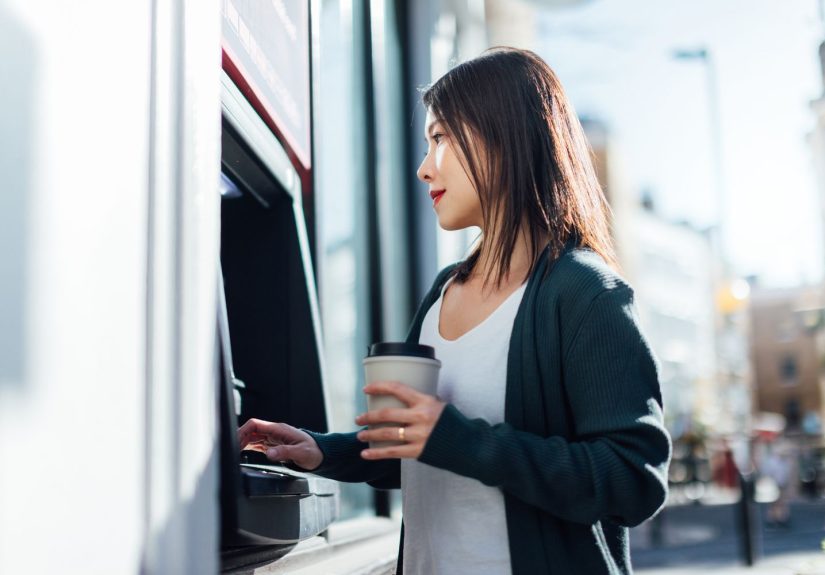
This is the smoothest, most “future-y” option. The ATM has a contactless readerjust like a checkout terminal.
You open your mobile wallet (Apple Pay, Google Wallet, Samsung Pay), select your debit card, and tap your phone near the contactless symbol on the ATM.
Under the hood, your wallet typically uses tokenization. Translation: your real card number isn’t what gets transmitted.
A device-specific “stand-in” number (a token) plus a one-time security code helps the bank confirm it’s your card on your device right now.
Then you’ll usually enter your ATM PIN on the keypad to complete access.
How it feels in real life: Tap phone → enter PIN → choose “Withdraw” → grab cash → pretend you’re in a spy movie.
2) One-Time Access Code (Bank App Generates a Temporary Code)
Some banks let you start the transaction in their mobile app, generate a temporary code, and enter it at the ATM.
That code is only valid for a short window, so even if someone saw it later, it’s basically a pumpkin.
In many implementations, you’ll still confirm with your ATM/debit PIN (or another authentication step),
because the goal is “two keys,” not “one key and vibes.”
3) QR Code Workflow (ATM Displays a QR, Your App Scans It)
This method is common when the bank wants your phone and the ATM to “handshake” directly.
The ATM shows a QR code, you scan it in the bank’s app, confirm the transaction on your phone,
and the ATM proceeds once your bank verifies everything.
QR-based cardless withdrawals often feel fast because you can pre-stage details (like withdrawal amount) in the app.
Less time at the machine can also mean less time for nosy strangers to hover behind you like you’re holding the last slice of pizza.
Behind the Scenes: What Happens During a Cardless ATM Transaction
Cardless can look different depending on the bank, but the “backstage” logic is usually the same: authenticate the customer, authorize the transaction, dispense cash.
Here’s a simplified play-by-play.
Step A: Your Phone Proves It’s Authorized
With mobile-wallet taps, the phone provides a token (not your raw card number) plus a dynamic security element tied to that transaction.
With app-based methods (QR or one-time codes), the app ties your login session and device to a temporary credential that the bank can validate.
Step B: You Prove You’re the Human Holding the Phone
Most setups still require your ATM PIN at the machine, and your phone may also require Face ID, Touch ID, fingerprint, or a passcode.
The point is layered verification: “Is this the right device?” and “Is the right person using it?”
Step C: The ATM Talks to the Bank (and the Bank Says Yes or No)
The ATM routes the request through standard banking networks to your bank.
Your bank checks: account status, available funds, daily limits, fraud signals, and the authentication results.
If everything checks out, it authorizes the withdrawal.
Step D: Cash Dispenses (and Everyone Pretends It Was Effortless)
The ATM counts the bills, dispenses them, and logs the transactionjust like a normal withdrawal.
You get a receipt option, your app updates, and your account balance reflects the change.
Why Cardless ATMs Exist (Besides Making Plastic Feel Judged)
Convenience
If you forget your wallet, your card is temporarily locked, or your card’s magnetic stripe is having a dramatic midlife crisis,
cardless access can save you a trip home.
Speed
Tap or scan can be quicker than inserting a card, waiting for the reader, and navigating the prompts.
Some banks also let you pre-select amounts in-app to shorten “ATM time.”
Security Upgrades
Cardless workflows can reduce exposure to certain types of card theftespecially attacks that rely on copying card data from the physical card interface.
Tokenized transactions also help limit the usefulness of intercepted data.
That said, “more secure than swipe” is not the same thing as “immune to crime.”
Limitations and Gotchas (Because Reality Always Has Fine Print)
Not Every ATM Is Cardless-Capable
Even if your bank supports cardless withdrawals, not every machine will.
You typically need a bank-owned ATM (or a specific enabled fleet) with either a contactless reader or the right software for codes/QR.
Your Phone Must Be Ready to Go
- Battery: A dead phone can’t tap, scan, or generate codes.
- Access: If you forgot your phone passcode, you’re not accessing the wallet or app.
- Device issues: NFC problems, OS updates, or app outages can happen (rare, but annoying).
Limits Still Apply
Cardless doesn’t magically increase your daily ATM withdrawal limit.
The bank still enforces standard limits, and some banks also apply monthly or daily cardless-specific limits.
Fees Can Still Happen
ATM fees depend on the machine owner and your bank’s policies.
Cardless access changes the login method, not the fee structure.
Is It Actually Safer Than Using a Physical Card?
Often, yesespecially compared with older “swipe” behavior. But let’s be precise.
Cardless helps reduce certain risks (like some forms of card skimming that rely on reading data from a physical card),
because tokenized credentials and device-based authentication are harder to reuse.
However, ATMs are still physical machines in public places, which means you still need street-smart habits:
protect your PIN entry, avoid sketchy locations, and keep your phone secured.
Quick Safety Checklist (Cardless or Not)
- Use well-lit, bank-owned ATMs when possible.
- Cover the keypad when entering your PIN.
- If anything looks loose, tampered with, or “off,” don’t use that ATM.
- Enable transaction alerts so you notice suspicious activity fast.
- Lock your phone and use biometrics; don’t rely on “I’ll remember later.”
How to Use a Cardless ATM (Step-by-Step)
Option 1: Using a Mobile Wallet (NFC Tap)
- Add your debit card to your mobile wallet (through your bank app or wallet setup).
- At the ATM, look for the contactless symbol.
- Open your wallet and select the correct card.
- Tap your phone near the reader.
- Enter your ATM PIN when prompted.
- Choose your transaction (withdrawal, balance, etc.) and finish as usual.
Option 2: Using a One-Time Code
- Open your bank app and choose the cardless/ATM access feature.
- Select the account/card and generate the temporary access code.
- At the ATM, choose the card-free/cardless option.
- Enter the code (and typically your PIN) to authenticate.
- Complete your transaction.
Option 3: Using a QR Code
- At the ATM, choose the cardless/QR option (or follow your bank’s instructions).
- The ATM displays a QR code on-screen.
- Open your bank app and scan the QR code.
- Confirm the transaction details in the app (amount, account, etc.).
- Enter your PIN if required, then take your cash.
Frequently Asked Questions
Do I still need my PIN at a cardless ATM?
Usually, yes. Many banks still require your ATM/debit PIN at the machine even after you tap/scan,
because it adds a strong second factor that’s independent from your phone.
Can I use any ATM with Apple Pay or Google Wallet?
You need an ATM that supports contactless/NFC withdrawals and works with your bank’s card network and setup.
If the ATM has a contactless reader and your bank supports cardless access, you’re in good shape.
Is cardless ATM access the same as “contactless cards”?
Related, but not identical. A contactless debit card taps the ATM with the card itself.
Cardless typically means using your phone (or app-generated credentials) instead of inserting the physical card.
What if my phone is lost or stolen?
Treat it like a “drop everything” situation: lock the phone, report it, and remove wallet access (many platforms let you suspend payments remotely).
Also contact your bank if you’re concerned about account access.
Real U.S. Examples (So This Doesn’t Feel Theoretical)
Major U.S. banks have rolled out cardless options using different methodstap-to-withdraw via mobile wallet, app-based access codes, and QR-based workflows.
For example, some banks provide “card-free access” via a short-lived code from the mobile app, while others emphasize NFC tap with your phone’s wallet.
The exact steps vary, so your best bet is to check your bank’s mobile app or ATM screens for a cardless option.
Experiences: What Using a Cardless ATM Is Like in Real Life (500+ Words)
The first time you use a cardless ATM, it feels slightly illegalin the same way walking out of a store with a curbside pickup order can feel illegal.
You know you paid. The app says you paid. Yet your brain whispers, “But I didn’t do the normal thing.”
That’s because most of us learned ATMs with one ritual: insert card, enter PIN, proceed.
Cardless flips the ritual: authenticate with your phone first, then prove you’re the account owner.
A common “aha” moment happens when you’re in a hurry. Imagine you’re headed to a weekend market, you want cash for a vendor who doesn’t take cards,
and you realize your wallet is on the kitchen counter. Normally, that’s a full stop: turn around, lose time, arrive cranky.
With cardless access, you can walk up to a compatible ATM, open your wallet app, tap, enter your PIN, and you’re back in business.
That small convenience is why people become loyal to cardless once they try it. It’s not about being flashyit’s about not having your day derailed by one forgotten object.
Another real-life perk shows up during travel. When you’re juggling luggage, a phone, a boarding pass, and a coffee you regret ordering “extra large,”
the last thing you want is to dig for a card, insert it, wait for it to be read, then remember to take it back.
Cardless reduces the number of “don’t forget this” steps. The ATM can’t keep your physical card if there is no physical card.
That’s not a minor detaillots of people have had the “I walked away and my card stayed behind” moment.
Cardless doesn’t fix every mistake, but it removes one classic one.
People also tend to feel a little safer using cardless at busy ATMs. Not because danger disappears, but because the interaction is shorter and more controlled.
With QR-based withdrawals, for example, you often confirm the amount on your phone rather than standing at the machine thinking, “Was it $60 or $80?”
With NFC tap-to-withdraw, you don’t expose your card to the slot at all, which can be reassuring if you’ve ever worried about skimmers.
(You still need to protect your PIN entry, thoughyour hand is still the best “privacy screen” you own.)
That said, cardless has a few “learned the hard way” moments people report. The biggest is battery anxiety.
A phone at 2% is basically a dramatic teenager: it will shut down right when you need it most.
If you rely on cardless access, carrying a small charger or power bank becomes less of a “tech hobby” and more of a practical habit.
Another common snag is using the wrong wallet card. If you have multiple debit cards in your phone, you may tap the wrong one and wonder why the ATM doesn’t recognize you.
It’s not personal. It’s just the machine saying, “Try again, but with the correct adult in the room.”
Finally, there’s the “confidence curve.” Your first attempt might feel slower because you’re reading the ATM prompts carefully.
Your second attempt is faster. By the third, it’s automatic. Most people end up liking cardless not because it’s magical,
but because it’s predictable: once you know the sequence for your bank, it becomes the quickest way to get cashespecially when you’re not carrying your card.