Table of Contents >> Show >> Hide
- First, Confirm It’s Actually a Crack (and Not a Drama Queen HDMI Cable)
- Can a Cracked TV Screen Be Fixed?
- Should You Repair or Replace? A Simple Decision Framework
- How Much Does It Cost to Repair a Cracked TV Screen?
- If You Still Want to Try: Safe, Practical Steps That Actually Help
- DIY Screen Replacement: The “Possible” vs. “Practical” Talk
- What to Do With the Broken TV (Besides Staring at It Sadly)
- Real-World Experiences: The Cracked-Screen Hall of Fame ( of “Yep, That Tracks”)
- 1) “It was mounted… I swear it was mounted.”
- 2) “My kid threw a toy… gently. Like a loving cat.”
- 3) “It was delivered cracked. Do I call the manufacturer?”
- 4) “The repair quote was… basically a new TV.”
- 5) “I tried the DIY ‘crack fix’ video and now it’s worse.”
- 6) “I got a donor TV and it actually worked!”
- Conclusion: Fix It, Replace It, or Recycle ItBut Decide Like a Pro
You turned on your TV, ready for a relaxing night… and instead got a modern art installation: spiderweb cracks, rainbow lines,
and a black blotch spreading like ink in water. The immediate impulse is universal: “Can I fix this? With… tape? Magic? A strongly worded email?”
Here’s the honest truth (delivered gently, like a technician breaking bad news): a cracked TV screen usually isn’t “repairable” in the way
people mean it. It’s replaceableand that’s a very different, often very expensive, thing. This guide will help you figure out what’s actually possible,
what’s a myth, what it costs, and when you should stop Googling “DIY cracked screen fix” before your search history becomes a cry for help.
First, Confirm It’s Actually a Crack (and Not a Drama Queen HDMI Cable)
“My TV screen is broken” can mean a lot of thingssome cheap, some fixable, some… not. Before we declare the panel deceased, do a quick reality check.
If you can see physical damage, you’re already 90% of the way to the diagnosis. But if it’s just lines, flickering, or a partial image, you might be dealing
with a board, cable, or backlight problem instead.
Signs you’re dealing with true physical screen damage
- Spiderweb cracking or an obvious impact point (often looks like a tiny “star” where something hit).
- Black “ink” blotches (LCD damage can look like liquid spreading under the image).
- Rainbow lines, shattered-glass patterns, or sections that go permanently black after an impact.
- The screen looks fine when off… but when on, the picture is warped, striped, or bleeding colors from a specific spot.
Quick checks that cost $0 and 2 minutes
- Power cycle: Turn it off, unplug it for 60 seconds, then plug back in. (Sometimes electronics just need a nap.)
- Try another input and cable: Swap HDMI ports, try a different HDMI cable, or use a different device.
- Run the TV’s picture/self-test if your model supports it (many do). If the test image also looks broken, the issue is inside the TV.
If there’s visible cracking and the picture is distorted in that same area, you can skip the rest of the detective work. The panel is the problem.
Can a Cracked TV Screen Be Fixed?
Let’s define “fixed” like grown-ups. If your screen is physically cracked, the damage is usually in the display panel (LCD/LED/OLED),
which is the core component that creates the image. That panel is not something you “patch.” It’s something you replace.
What “repair” actually means for a cracked screen
For most modern flat-screen TVs, a cracked screen repair means a panel replacement. That’s essentially a major transplant:
the technician disassembles the TV, removes the damaged panel, and installs a matching replacement panel (if it’s available).
Why the viral “life hacks” don’t work (and may make things worse)
You may see videos suggesting toothpaste, petroleum jelly, epoxy resin, scratch filler, heat guns, or “special liquids” to fix cracks.
Those hacks sometimes apply to minor surface scratches on a plastic covernot a fractured LCD/OLED panel that controls pixels, layers,
polarizers, and fragile bonding.
- Toothpaste: Great for teeth. Not great for electronics. Also: gritty.
- Resin/glue: Might make the crack look shinier, but it won’t restore pixels or stop internal damage from spreading.
- Heat: Can warp layers and create new issues that were not invited to the party.
If you want a memorable motto: you can’t “buff out” missing pixels.
Should You Repair or Replace? A Simple Decision Framework
This section is your “don’t overthink it” compass. Answer these questions, and you’ll usually know what to do without spiraling into eleven forums and a
YouTube rabbit hole.
Repair might make sense if…
- The TV is high-end (premium OLED/large flagship model) and replacing it would be significantly more expensive.
- You have accidental damage coverage through a protection plan or insurance that explicitly covers impact cracks.
- The damage was out-of-the-box (delivered cracked or opened cracked). In that case, retailer return/exchange policies matter a lot.
- You can get a panel cheaply (rare, but possible with a donor TV of the same exact model).
- You need the exact TV for a built-in setup or commercial space where replacing the whole unit is complicated.
Replacement is usually smarter if…
- The TV is midrange or budget, especially if it’s a few years old.
- Panel replacement costs approach a new TV (this is extremely common).
- The screen is severely shattered or the TV has other issues (power, backlight, board faults).
- You can upgrade to a better model for a similar total cost (hello, better brightness and newer smart features).
How Much Does It Cost to Repair a Cracked TV Screen?
This is where the vibe typically shifts from “maybe I can fix it” to “I suddenly understand why people buy new TVs on sale.”
The screen is the most expensive part of a modern TV, and the price scales with size, type (OLED vs LED), and model availability.
Typical price ranges you’ll see in the U.S.
- Screen/panel replacement: often hundreds to thousands of dollars, depending on size and model.
- Backlight repair (not a crack issue): generally much cheaper than a panel replacement.
- Board repairs (power board, main board): can be in the “worth it” zoneif the screen itself isn’t damaged.
Why such a huge range? Because a 43-inch LED TV panel is a totally different universe from a 77-inch premium OLED panelboth in part cost and labor.
Real-life example math (the kind that hurts, but helps)
Imagine you have a 65-inch TV you bought for $799 during a sale. A shop quotes you $900–$1,200 for a panel replacement after labor, shipping,
and the “this part is basically unobtanium” markup. Even if the technician is brilliant, you’re spending more than the original price to end up with a TV
that still has an older processor, older HDMI spec, and no fresh manufacturer warranty on the entire unit.
In that case, replacing the TV is not “wasteful”it’s financially rational. The more eco-friendly move might be recycling properly and buying a new TV
with a longer lifespan, rather than sinking money into a repair that doesn’t pencil out.
If You Still Want to Try: Safe, Practical Steps That Actually Help
If you’re not ready to give up, that’s fair. Let’s do this in a way that protects your wallet, your fingers, and your sanity.
Step 1: Make it safe (seriously)
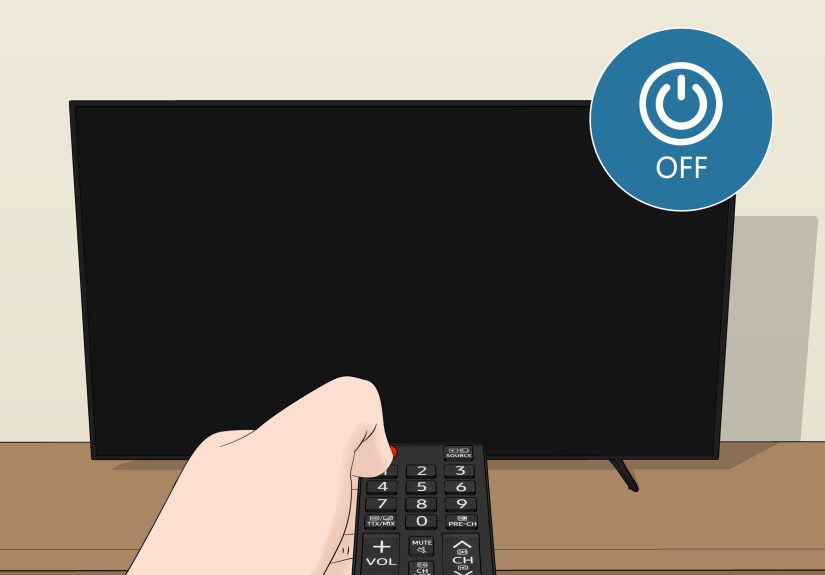
- Unplug the TV and keep it off. A cracked screen can expose sharp edges and fragile layers.
- Keep kids and pets away from the damaged area.
- If the crack is severe, consider placing clear packing tape over the crack to reduce flaking/sharp edges (this is for safety, not image repair).
Step 2: Check return windows and “out-of-the-box” damage rules
If the TV arrived cracked, your best outcome is often through the retailer’s exchange/return process, not a warranty claim.
Take photos immediately, keep packaging, and contact the seller promptly. The faster you act, the more likely the retailer treats it as shipping damage
instead of “mysterious living-room accident.”
Step 3: Understand what standard warranties usually do (and don’t) cover
Standard manufacturer warranties typically cover defects in materials/workmanshipnot physical impact damage. If the screen is cracked from a bump,
a fall, pressure, or an object strike, you should expect it to be considered out-of-warranty in most cases. That doesn’t mean you can’t get it repaired;
it means you’ll likely pay out of pocket.
Step 4: Get a repair estimate from a legit source
If your TV is large, in-home diagnosis is common. Many service providers can diagnose and quote repair options, and they’ll tell you quickly whether a panel is
available and whether it’s even remotely economical.
Ask three questions on the phone or chat before booking:
- Can you replace the panel for my exact model number? (Panel availability is everything.)
- What’s the estimated total cost range? (Parts + labor + any diagnostic fee.)
- What warranty comes with the repair? (Parts and labor warranties vary.)
Step 5: Explore coverage you might already have
- Retail protection plans: Some cover mechanical failures, but accidental damage coverage variesread the terms.
- Credit card purchase protection: Some cards offer limited accidental damage coverage for a short period after purchase.
- Renters/homeowners insurance: Sometimes covers accidental damage, but deductibles can make it not worth a claim.
DIY Screen Replacement: The “Possible” vs. “Practical” Talk
In theory, yes: a determined, skilled person can replace a TV panel. In practice, it’s often like replacing the roof of a house while standing on the roof.
The panel is large, fragile, and usually the priciest component, and one tiny mistake can turn your TV into an expensive wall decoration.
Why DIY panel replacement is so brutal
- Parts matching is exacting: Same model number doesn’t always mean same panel revision.
- Panels are fragile and hard to ship: Damage during shipping is common, returns can be painful.
- Disassembly is complex: Modern TVs are thin, layered, and easy to flex (flexing is bad).
- Economics rarely work: The panel alone can cost close to a new TV.
If you insist anyway, follow these “don’t make it worse” rules
- Confirm it’s worth it financially before ordering anything. If the panel cost is more than ~50–60% of a comparable new TV, think twice.
- Use the exact model and panel identifiers (often found on the panel label inside the TV).
- Work clean and flat: Big, soft surface; no pressure on the screen; no bending.
- Document every step with photos. You’ll forget which screw came from where. Your TV will not forgive you.
- Stop if you see anything unsafe (swollen components, burnt smells, damaged power boards).
For most people, DIY screen replacement is a “because I can” project, not a “because it saves money” project.
What to Do With the Broken TV (Besides Staring at It Sadly)
Option 1: Recycle it responsibly
TVs contain valuable materials and components that should be handled through proper electronics recycling. Manufacturers, retailers, and local programs
often provide recycling pathways. If you’re buying a replacement TV, some delivery services also offer haul-away options.
Option 2: Sell it for parts
A cracked screen doesn’t always mean everything else is dead. Main boards, power boards, speakers, stands, and remotes can be salvageable.
If you go this route, be honest in your listing: “Cracked screen, sold as-is/for parts,” and include model info.
Option 3: Repair something else (if it isn’t actually the panel)
If your TV has lines or picture issues but no visible crack, the fix might be a board, connection, or backlight rather than the display panel.
That’s where professional repair can be genuinely worthwhileespecially if the TV is a large model and the part cost is reasonable.
Real-World Experiences: The Cracked-Screen Hall of Fame ( of “Yep, That Tracks”)
The internet is full of “my screen cracked and I did X” stories, and the patterns are surprisingly consistent. Here are common real-world scenarios people run into,
plus the lesson each one teachesserved with a side of humor, because the alternative is crying into the remote.
1) “It was mounted… I swear it was mounted.”
Someone installs a TV mount, everything looks perfect, and then weeks later the TV develops a crack after a minor bump. Sometimes the mount hardware loosened,
or the TV shifted and put pressure on the panel. The lesson: pressure cracks happen, not just impact cracks. If you wall-mount, make sure the bracket is
rated for the TV’s size/weight, installed into studs or proper anchors, and periodically checked. TVs are thin nowthin TVs don’t love stress.
2) “My kid threw a toy… gently. Like a loving cat.”
A small object hits the screen, and suddenly you’ve got a spiderweb crack and half the display looks like a melted watercolor painting. The lesson:
the screen doesn’t need a dramatic impacta focused hit is enough. If you have toddlers, pets, or that one friend who gesticulates like they’re conducting an orchestra,
consider mounting higher, using a sturdy stand, and creating a “no-throw zone” near the TV.
3) “It was delivered cracked. Do I call the manufacturer?”
This is one of the few cases where you can win. The lesson: move fast. Take photos, keep packaging, and contact the retailer immediately.
Don’t wait a week while you “see if it gets better.” Cracks do not heal with time, positive affirmations, or unplugging it during a full moon.
Retailers often treat out-of-the-box damage differently than damage discovered much later.
4) “The repair quote was… basically a new TV.”
This is the most common ending. The lesson: panel replacement economics are brutal. People often feel guilty replacing a TV, but the reality is that a panel
can cost as much as the TV itself (or more), and labor isn’t free. When the repair quote crosses into “new TV territory,” replacement is usually the smarter move.
5) “I tried the DIY ‘crack fix’ video and now it’s worse.”
Some folks try resin, heat, or scratch kits. Best case: it looks shinier and still broken. Worst case: you damage layers, create pressure spots, or seep liquid into edges.
The lesson: avoid miracle cures. If it’s a true crack in the display panel, you’re not fixing pixels with household supplies.
6) “I got a donor TV and it actually worked!”
This is the rare, glorious success story: someone finds the exact same model with a bad main board but good panel, swaps parts, and saves money.
The lesson: it can work… if you have time, skill, space, and the exact right donor parts. For everyone else, it’s a hobby project, not a universal solution.
The big takeaway from all these stories is simple: cracked screens are usually a replacement decision, not a repair adventureunless you have
accidental coverage or a unicorn deal on parts.
Conclusion: Fix It, Replace It, or Recycle ItBut Decide Like a Pro
If your TV screen is physically cracked, the “fix” is almost always a panel replacementand that’s why it’s usually expensive. Your smartest next step is to:
(1) confirm it’s a real crack and not a different picture issue, (2) check retailer return windows or out-of-the-box damage policies, (3) review any protection plans
or insurance coverage, and (4) get a repair estimate before spending money on parts or DIY tools.
If the quote is anywhere near the cost of a new TV, replacement is typically the practical choice. Then do the planet (and your future self) a favor by recycling
the broken unit responsibly or selling it for partsbecause “it’s just sitting in the garage” is how electronics become permanent residents.