Table of Contents >> Show >> Hide
- Why Your Exact Samsung Phone Model Matters
- Samsung Phone Name vs. Samsung Model Number
- Method 1: Check “About Phone” in Settings
- Method 2: Dial *#06# to Pull Up the IMEI Fast
- Method 3: Look at the Original Box, Receipt, or Bill of Sale
- Method 4: Check the Outside of the Phone, SIM Tray, or Battery Area
- Method 5: Use Samsung Members or Your Samsung Account
- Method 6: Check Google Find My Device or Your Carrier Account
- What to Do After You Find the Samsung Model
- Common Mistakes People Make
- The Fastest Method for Most People
- Real-World Experiences: What Actually Happens When You Try to Identify a Samsung Phone
- Final Thoughts
If you have ever stared at a Samsung phone and thought, “You look familiar, but who exactly are you?” congratulations: you are officially part of a very large club. Samsung releases a lot of phones. Some look nearly identical, some have names that sound like cousins at a family reunion, and some come with carrier-specific model numbers that seem designed by a keyboard rolling down a staircase.
The good news is that identifying a Samsung phone model is usually much easier than people think. You do not need to be a repair technician, a mobile network wizard, or that one friend who insists on calling every phone “a handset.” In most cases, the answer is already sitting inside the device, printed on the box, or hiding in your Samsung or carrier account.
In this guide, you will learn how to identify a Samsung phone model using six easy methods. We will also cover what information matters most, the difference between a phone’s marketing name and model number, and what to do if the phone will not turn on. By the end, you will be able to confidently tell whether you are holding a Galaxy A-series budget champ, an S-series flagship, a foldable show-off, or a mystery rectangle from three upgrades ago.
Why Your Exact Samsung Phone Model Matters
Before we get into the methods, let’s answer the obvious question: why should you care?
Knowing your exact Samsung phone model helps when you need a case, screen protector, charger compatibility details, software support information, repair parts, trade-in quotes, carrier activation help, or warranty service. It also matters when you are buying a used phone, checking if a device is unlocked, comparing specs, or trying to download the correct manual or firmware.
And no, “It’s the blue one with three cameras” is not enough information for most support agents. Nice try, though.
Samsung Phone Name vs. Samsung Model Number
When people try to find a Samsung model number, they often mix up two different things:
1. The marketing name
This is the consumer-friendly name, such as Samsung Galaxy S24, Galaxy A54 5G, or Galaxy Z Flip.
2. The model number or model code
This is the more technical identifier, usually a code used for support, registration, downloads, and service. It is the number Samsung support and carriers care about when they want the exact device version.
If you want to identify a Samsung phone model accurately, it helps to collect both. The marketing name tells you what phone family it belongs to. The model number tells you the exact version of that phone.
Method 1: Check “About Phone” in Settings
This is the easiest and most reliable method for most people. If the phone turns on and you can unlock it, start here.
How to do it
- Open Settings.
- Scroll down and tap About phone.
- Look for the device name, model name, model number, serial number, and IMEI.
On many Samsung phones, this screen gives you almost everything you need in one place. It is the digital equivalent of opening a refrigerator and finding all the leftovers neatly labeled for once. Rare, beautiful, and deeply helpful.
If the phone has dual SIM capability, you may also see more than one IMEI listed. That is normal. One phone can have IMEI 1 and IMEI 2 for different SIM slots or eSIM arrangements.
Best for: people who have the phone in hand and can still access the menu.
Method 2: Dial *#06# to Pull Up the IMEI Fast
If digging through menus feels like too much cardio for your thumbs, try the shortcut method.
How to do it
- Open the Phone app.
- Dial *#06#.
- The phone should instantly display the IMEI and sometimes related device identification information.
This does not always hand you the friendly marketing name on a silver platter, but it gives you a key identifier. Once you have the IMEI, you can use it for warranty lookup, support registration, carrier account matching, or device verification.
This is especially useful when you need to confirm a used Samsung phone before selling it, buying accessories, or checking if a carrier can activate it.
Best for: quick identification, carrier checks, and “I need the number now, not after six menus and a software update prompt.”
Method 3: Look at the Original Box, Receipt, or Bill of Sale
If the phone is off, broken, locked, or mysteriously missing, the original packaging can save the day.
What to check
- The label on the original retail box
- Your sales receipt
- Your purchase contract or bill of sale
- Order confirmation emails from the retailer or carrier
The box often includes the phone’s IMEI, serial number, and model information. In many cases, it is the easiest way to identify a Samsung phone model without touching the device at all. If you are organized enough to still have the box, please enjoy your well-earned moment of superiority.
If you bought the phone through a carrier, your receipt or online order details may also include the device information you need. This is particularly helpful if the screen is dead, the battery is drained, or the phone has entered its dramatic “I refuse to cooperate” phase.
Best for: dead phones, lost phones, or anyone who kept the box because “I might need this someday” and was absolutely right.
Method 4: Check the Outside of the Phone, SIM Tray, or Battery Area
Sometimes the old-school answer still works: look at the hardware itself.
Places to inspect
- The back of the phone near the bottom
- The SIM tray
- Under the battery on older Samsung models with removable backs
Some Samsung phones have the IMEI or serial information printed in small text on the device body. Older models may place this information under the removable battery. Some phones also carry identifying numbers on or around the SIM tray area.
This method is not always glamorous. You may need good lighting, decent eyesight, and the willingness to squint like you are decoding an ancient artifact. But when it works, it works.
If the printed text is tiny, take a photo with another phone and zoom in. That trick has saved many people from reading glasses, eye strain, and unnecessary existential questions.
Best for: phones that do not turn on, older Galaxy devices, and times when you need identification from the physical device itself.
Method 5: Use Samsung Members or Your Samsung Account
If you signed in to a Samsung account on the phone, Samsung may already know exactly what device you own. Convenient? Yes. Slightly spooky? Also yes.
Two easy options
Option A: Samsung Members app
Open the Samsung Members app, go to the support area, and check the registered device information.
Option B: Samsung account online
Sign in to your Samsung account and look for My Products or your registered devices. Registered devices often show the product details connected to your account.
This is one of the best ways to identify a Samsung phone model if you do not want to hunt for labels or scroll through settings. It is also useful when the phone is not next to you but is already tied to your Samsung account.
Samsung also allows device registration using model number, serial number, or IMEI, which makes this route especially handy for service, support, and warranty lookup.
Best for: Samsung users who are logged into their account and want a clean, account-based answer.
Method 6: Check Google Find My Device or Your Carrier Account
If the phone is lost, stolen, not in your hand, or currently living somewhere between your couch cushions and another dimension, online account tools can help.
Google Find My Device
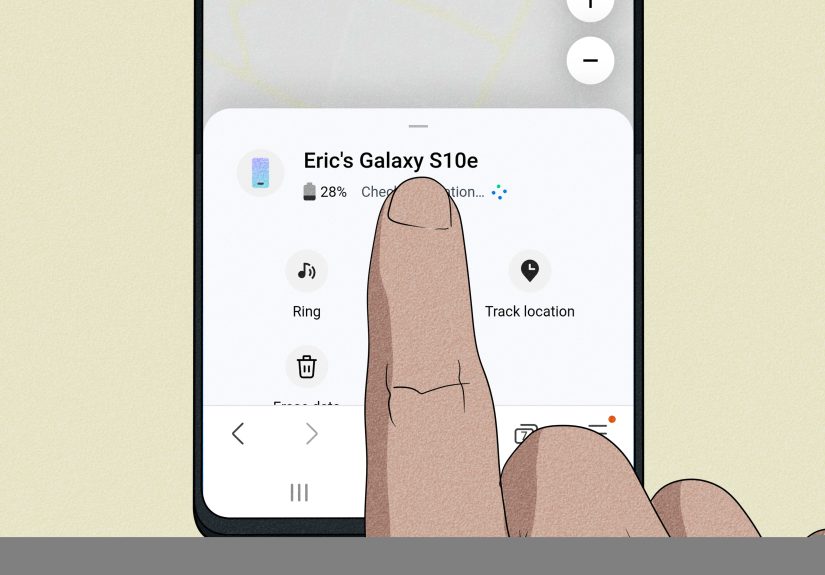
If the phone is connected to your Google account, you may be able to see identifying information through Find My Device. This can include the IMEI for supported devices, which gives you a reliable number to match against Samsung support, your purchase records, or your carrier account.
Carrier account tools
Many carrier websites and apps list device information for the lines on your account. If your Samsung phone is active with Verizon, AT&T, T-Mobile, UScellular, or another carrier, your account dashboard may show the model, IMEI, or device details.
This method is particularly useful when the phone is unavailable, damaged, or part of a family plan where one person is trying to identify everyone’s devices without physically collecting them all like Pokémon.
Best for: missing phones, family plans, device upgrades, and online support situations.
What to Do After You Find the Samsung Model
Once you identify the phone, save the information somewhere practical. That means somewhere better than “a random note I will definitely remember exists later.”
Save these details
- Marketing name
- Model number
- Serial number
- IMEI
- Carrier name
- Storage capacity and color if you sell or insure the phone
You should also use the model code on Samsung’s support site if you need a manual, troubleshooting guide, or service information. This helps you avoid downloading instructions for the wrong Galaxy device, which happens more often than people admit.
Common Mistakes People Make
Confusing the series with the exact model
Saying “It’s a Galaxy A” is like saying “I drive a car.” Technically true. Not useful.
Using only the case shape
Many Samsung phones look similar from the front. Cases and camera cutouts can help, but they should never be your only method.
Ignoring carrier-specific versions
Two phones may share a similar name but still have different model numbers depending on region, network support, or carrier.
Forgetting dual-SIM details
If your phone lists IMEI 1 and IMEI 2, that does not mean something is wrong. It usually means the phone supports more than one SIM identity.
The Fastest Method for Most People
If you want the shortest possible answer, here it is: go to Settings > About phone. That is usually the fastest, cleanest, least-annoying way to identify a Samsung phone model.
If the phone is dead or missing, check the box, your Samsung account, your carrier account, or Google Find My Device. If all else fails, grab the IMEI from one of those sources and use it to confirm the exact device information.
Real-World Experiences: What Actually Happens When You Try to Identify a Samsung Phone
In real life, people usually do not look up a Samsung phone model just for fun. Nobody wakes up on a Saturday and says, “Today feels like a fantastic day to hunt down a model code.” Usually, there is a reason. Maybe a screen protector cracked. Maybe a trade-in form asks for the exact device. Maybe someone in the family says, “Can you order me a charger?” while giving approximately zero useful details.
One of the most common experiences is discovering that a phone’s familiar name is not enough. Someone may honestly believe they own a “Galaxy Samsung 5G thing,” which is both charming and wildly unhelpful. The moment they open About phone, everything gets easier. Suddenly there is a real device name, a model number, and an IMEI. The mystery rectangle becomes a documented object with an identity and a paper trail. Growth.
Another very common situation happens with family tech support. A parent, grandparent, or sibling hands over a phone with a case thicker than a camping mattress and says it needs a new battery, new case, or new cable. At that point, guessing is dangerous. Samsung has too many similar-looking devices for anyone to play accessory roulette. In those moments, checking settings or dialing *#06# saves money and prevents the classic mistake of buying a case that is “almost right” in the same way a giraffe is “almost a dog.”
Used-phone buyers go through a different version of the same adventure. A listing may say “Samsung Galaxy, great condition,” which is about as specific as “car, has wheels.” Smart buyers ask for the model number or IMEI confirmation before paying. That extra step matters because storage size, carrier compatibility, repair options, and software support can all vary depending on the exact phone. Identifying the model is not being picky. It is being the person who does not accidentally buy a device that cannot do what they need.
Then there is the dead-phone scenario, which is where the original box becomes the hero of the story. Plenty of people keep packaging in a closet and later feel silly about it, right up until a phone will not power on and that little label on the box suddenly contains the only useful information in the house. The same goes for receipts, carrier portals, and Samsung account pages. The model may be out of sight, but it is often not truly lost.
People also learn that Samsung’s online ecosystem is more useful than they expected. If the phone is registered, Samsung Members or the Samsung account can remove a lot of guesswork. Google Find My Device and carrier dashboards are similarly helpful when the phone is not nearby. That is especially true for families managing multiple lines, where every black slab starts to look suspiciously identical after the third one.
The biggest lesson from real-world experience is simple: the easiest method depends on what you still have access to. If the phone works, use settings. If the phone is gone, use online accounts. If the phone is dead, use the box or receipt. Identification is usually not hard; it just becomes hard when people rely on memory alone. And memory, sadly, is not a support document.
Final Thoughts
Learning how to identify a Samsung phone model is not complicated once you know where to look. Start with Settings > About phone if the device is working. If not, move to *#06#, the original box, the physical device markings, Samsung Members, your Samsung account, or your carrier and Google account tools.
The key is to collect the exact information, not just the general series name. Once you have the device name, model number, and IMEI, you are in much better shape for support, resale, repairs, upgrades, and accessories. Mystery solved. Samsung identified. Tiny victory achieved.