Table of Contents >> Show >> Hide
- What Are Google Business Profile Categories?
- Why Google Business Profile Categories Matter for Local SEO
- Primary Category vs. Additional Categories
- How to Choose the Best Google Business Profile Category
- Cool Tools for Choosing Google Business Profile Categories
- Examples of Smart Category Choices
- Common Google Business Profile Category Mistakes
- How to Test Your GBP Categories
- Advanced Tips for Multi-Location Businesses
- Experience-Based Insights: What Actually Works in the Real World
- Conclusion
Choosing Google Business Profile categories sounds like one of those tiny administrative chores you can finish while your coffee reheats. Click a dropdown, pick “Restaurant,” move on with your life, right? Not quite. Your Google Business Profile category is one of the clearest signals you give Google about what your business actually does, who should see you, and which local searches deserve your shiny little map pin.
In local SEO, categories are not decoration. They are identity tags. Choose well, and you help Google connect your business with the right customers. Choose poorly, and your profile may show up for weak searches, miss high-intent buyers, or confuse Google like a menu that lists tacos, tax preparation, and transmission repair on the same page.
This guide explains how to choose Google Business Profile categories the smart way, using practical analysis, competitor research, keyword thinking, and a few cool tools that make the job far easier. Whether you run a law firm, dental office, coffee shop, roofing company, med spa, landscaping business, or multi-location brand, the goal is the same: pick categories that are accurate, specific, competitive, and useful for real customers.
What Are Google Business Profile Categories?
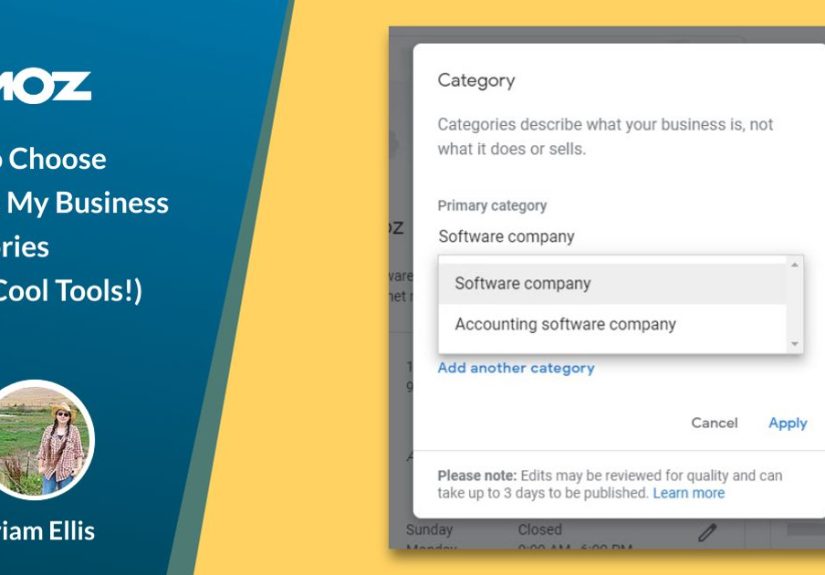
Google Business Profile categories are predefined labels that describe your business type. When you create or edit a profile, Google asks you to choose a primary category and allows you to add additional categories when relevant. These categories help Google understand your services and match your business to searches on Google Search and Google Maps.
For example, a business might choose:
- Primary category: “Italian restaurant”
- Additional categories: “Pizza restaurant,” “Pasta shop,” “Wine bar”
That primary category tells Google the main identity of the business. The additional categories add context. Think of the primary category as your business’s front door sign, while secondary categories are the helpful signs inside the building pointing customers toward specific services.
Why Google Business Profile Categories Matter for Local SEO
Google uses several major signals to rank local businesses, including relevance, distance, and prominence. Categories mainly support relevance. They help Google answer a simple question: “Does this business match what the searcher wants?”
If someone searches “emergency plumber near me,” Google wants to show businesses that are clearly plumbers, not a general handyman who once fixed a sink in 2018 and still tells the story at parties. A specific category gives your profile a better shot at appearing for relevant local searches.
Primary Categories Carry the Most Weight
Your primary category is usually the most influential category selection. It tells Google what your business is first and foremost. A personal injury law firm should usually not choose “Law firm” if “Personal injury attorney” is available and accurately describes the business. A “Pediatric dentist” should not settle for “Dentist” if the more specific category is the true core of the practice.
The more specific your primary category is, the better Google can understand your strongest local relevance. Specificity is your friend, as long as it is honest. A category should describe what the business actually does, not what it wishes it ranked for after three espressos and a motivational podcast.
Primary Category vs. Additional Categories
The primary category is the main classification for your business. Additional categories are secondary classifications that represent other important services or business functions. Google allows businesses to use additional categories, but that does not mean you should stuff every vaguely related option into the profile like SEO confetti.
Use the Primary Category for Your Core Money Service
Ask: “What service or business type drives the most important customer searches?” If you are a garage door company, “Garage door supplier” or “Garage door repair service” may be more powerful than a broad category like “Contractor.” If you are a divorce lawyer, “Divorce lawyer” is likely more useful than simply “Attorney.”
Use Additional Categories for Real, Meaningful Services
Additional categories should support your business identity. A roofing contractor might add “Gutter cleaning service” if it genuinely provides that service. A med spa might add “Laser hair removal service” or “Skin care clinic” if those are real offerings. The key is alignment. If your staff would look nervous answering the phone for that service, do not add the category.
How to Choose the Best Google Business Profile Category
1. Start With Your Actual Business Model
Before opening any tool, write down what your business actually does. Not your dream expansion plan. Not the one service you offered to your cousin’s neighbor in 2021. Your real, recurring, revenue-driving services.
Ask these questions:
- What do customers most often pay us for?
- What service do we want more leads for?
- What category best describes our main business identity?
- Which category would make sense to a first-time customer?
For a bakery that also sells coffee, “Bakery” may be the primary category and “Coffee shop” may be additional. For a coffee shop that happens to sell muffins, reverse that. Google categories should reflect the business reality, not the pastry display’s self-esteem.
2. Search Google Like a Customer
Search your target keywords in Google Maps and Google Search. Try phrases such as:
- “plumber near me”
- “family lawyer Chicago”
- “best dentist in Austin”
- “roof repair Phoenix”
- “vegan restaurant Seattle”
Look at the businesses ranking in the local pack. What category appears under their business names? Are the top-ranking competitors using a broad category or a highly specific one? Patterns matter. If nearly every top competitor for “emergency plumber” uses a plumbing-specific category, that is not a coincidence. That is Google politely waving a neon sign.
3. Compare Competitor Categories
Competitor analysis is one of the fastest ways to discover category opportunities. You are not copying competitors blindly; you are studying how Google interprets the local market.
Review the top three to five competitors for your most valuable searches. Note their primary categories and any visible category patterns. If your best competitors all use “Personal injury attorney” and your profile says “Legal services,” you may be asking Google to solve a puzzle it does not need to solve.
4. Match Categories to Search Intent
Search intent is the reason behind the search. Someone searching “orthodontist near me” wants a specialist, not a general dental office unless that office clearly offers orthodontics. Someone searching “wedding photographer” has a very different intent from someone searching “photo studio.”
Choose categories that match the language of high-intent searches. A category should help Google connect your profile with people who are ready to call, book, visit, or request a quote.
5. Be Specific, But Do Not Overreach
Specific categories are often better than broad ones, but accuracy still rules. If you are a general contractor, do not choose “Kitchen remodeler” unless kitchen remodeling is truly a primary or major service. If you are a restaurant, do not add “Catering food and drink supplier” unless you actively offer catering.
Google Business Profile optimization works best when your categories, website, services, photos, reviews, and business description all tell the same story. If your categories say “Tree service” but your website mostly talks about lawn mowing, that mismatch weakens trust and relevance.
Cool Tools for Choosing Google Business Profile Categories
GMB Everywhere
GMB Everywhere is a Chrome extension that helps local SEOs and business owners inspect Google Business Profiles directly in Google Maps. It can show competitor categories, including primary and secondary categories, and provides useful audit features. This is especially helpful when you want to compare several local competitors quickly without manually digging through every detail.
Use it to answer questions like:
- What primary category do top competitors use?
- Which additional categories appear repeatedly?
- Are competitors using categories you missed?
- Do category choices differ by city or neighborhood?
PlePer GBP Categories
PlePer offers a Google Business Profile category list and category helper tools. These tools are useful because Google’s available categories can change over time. A current category database helps you discover options you might not see if you are only guessing inside the GBP dashboard.
PlePer can be especially useful for niche businesses. For example, a health clinic, specialty contractor, or professional service firm may have category options that are more precise than expected.
Moz Local
Moz Local is useful for managing local listings and improving consistency across the web. While choosing the right GBP category is crucial, your broader local presence also matters. Consistent business information across directories helps reinforce trust. If your Google profile says one thing and half the internet says another, Google may look at your business with the same suspicion you reserve for a restaurant with 400 menu items.
BrightLocal
BrightLocal provides local SEO tools for audits, rankings, citations, and Google Business Profile insights. It can help you monitor local search performance and compare visibility across keywords. After choosing categories, use rank tracking to see whether visibility improves for relevant searches.
Google Maps and Google Search
Do not underestimate the free tools right in front of you. Google Maps and Google Search reveal real-world category patterns, competitor positioning, review language, services, and local pack results. Sometimes the best research starts with a simple search and a spreadsheet.
Examples of Smart Category Choices
Example 1: A Law Firm
A law firm that mainly handles injury cases might be tempted to use “Law firm” as its primary category. That is accurate, but broad. If “Personal injury attorney” fits the business, it is likely a stronger primary category. Additional categories might include “Trial attorney” or “Legal services” if they are relevant.
Example 2: A Dental Practice
A general dental office may choose “Dentist” as the primary category. But a practice focused on children should consider “Pediatric dentist.” An office focused on braces may choose “Orthodontist.” The right category depends on the core business, not just the license on the wall.
Example 3: A Restaurant
A restaurant should avoid choosing only “Restaurant” if a more specific category fits. “Mexican restaurant,” “Thai restaurant,” “Vegan restaurant,” or “Breakfast restaurant” can better align with customer searches. Additional categories can cover secondary offerings such as “Caterer” or “Takeout restaurant” when accurate.
Example 4: A Home Services Business
A company that primarily repairs garage doors should choose a garage-door-specific category instead of a broad construction category. If it also installs openers and sells doors, additional categories can support those services. The goal is to match the business’s main revenue stream with the most specific available category.
Common Google Business Profile Category Mistakes
Choosing a Category That Is Too Broad
Broad categories can weaken relevance. “Contractor” may be technically correct, but “Roofing contractor,” “HVAC contractor,” or “Kitchen remodeler” may better match what customers search for.
Adding Irrelevant Categories
More categories do not automatically mean more rankings. Irrelevant categories can confuse Google and users. Add categories only when they represent real services or business functions.
Ignoring Competitor Research
If you never look at what successful competitors are doing, you are making category decisions in the dark. Competitor research does not replace strategy, but it gives you clues from the actual search results.
Never Reviewing Categories Again
Google changes categories over time. Your business may also change. Review your categories at least quarterly or whenever you add, remove, or reposition services.
Using Categories to Chase Unrelated Traffic
Do not add a popular category just because it has search volume. A plumber should not add “Bathroom remodeler” unless the company genuinely offers remodeling. Getting visibility for the wrong search is not a win; it is just a faster way to disappoint people.
How to Test Your GBP Categories
Category selection is not always a one-and-done task. In competitive markets, testing can help you identify the best primary category and supporting categories.
Track Rankings Before You Change Anything
Before changing categories, record your current local rankings for priority keywords. Include searches from different locations because Google Maps results can shift dramatically by neighborhood.
Change One Major Element at a Time
If you change your primary category, website title tags, services, photos, and business description all on the same afternoon, you will not know what caused any ranking movement. Keep testing clean. Change one main category element, then monitor results.
Measure the Right Outcomes
Look beyond rankings. Track phone calls, website clicks, direction requests, booking actions, and form submissions. The best category is not always the one that produces the most impressions. It is the one that attracts qualified customers.
Advanced Tips for Multi-Location Businesses
Multi-location businesses need category consistency, but not robotic sameness. If every location offers the same services, categories should usually match. But if one location has a dental implant specialist and another focuses on pediatric care, their categories may need to differ.
Create a category governance document that includes:
- Approved primary categories by business model
- Approved additional categories by service line
- Rules for specialty locations
- Review schedule for category updates
- Competitor research notes by market
This prevents random edits from well-meaning team members who “just tried something” and accidentally turned your urgent care clinic into a wellness gift shop.
Experience-Based Insights: What Actually Works in the Real World
In real local SEO work, category selection often looks simple until you compare it against search behavior. One of the most common lessons is that business owners describe themselves differently from customers. A company might proudly call itself a “full-service exterior solutions provider,” while customers search “roof repair near me.” Google categories reward clarity, not branding poetry.
A practical workflow is to begin with customer language. Review calls, form submissions, reviews, sales notes, and website queries. What words do customers use before they know your brand? Those phrases usually point toward the most useful categories. If customers constantly mention “emergency AC repair,” but your profile only says “Contractor,” you may be hiding from your own best leads.
Another experience-backed tip is to separate “services you offer” from “services that define you.” Many businesses offer a long list of services, but only a few should influence category selection. A landscaping company may install mulch, trim hedges, design patios, and remove leaves. But if its main business is recurring lawn care, “Lawn care service” may be the best primary category. Secondary categories can support the rest, but the primary category should reflect the strongest identity.
Competitor research also needs judgment. If three top competitors use a category, that category deserves attention. But do not assume competitors are always correct. Some rank because of age, proximity, reviews, backlinks, or brand strength despite imperfect categories. Look for repeated patterns across multiple competitors and multiple keywords. One competitor is a clue. Five competitors are a trend.
Testing should be patient. Category changes can influence visibility, but local rankings are not vending machines. You do not insert “best category” and instantly receive “number one ranking” with a satisfying clunk. Give changes enough time to settle, track results from multiple search points, and compare business outcomes. A category that improves calls from serious buyers is more valuable than one that creates more impressions from people who will never convert.
For agencies, the best practice is to document every category decision. Record the date, old category, new category, reason for the change, target keywords, and performance metrics. This creates a useful history and prevents circular testing where the same category debate returns every quarter wearing a fake mustache.
For small business owners, the biggest win is often choosing the most specific accurate primary category. A med spa should not hide under “Spa” if “Medical spa” fits. A tax preparation company should not use “Consultant” if “Tax preparation service” is available. A dog groomer should not choose “Pet store” unless it truly operates as a pet store. Specific categories help Google understand relevance and help customers recognize that they are in the right place.
Finally, categories work best when the rest of the profile supports them. If you choose “Roofing contractor,” your website should discuss roofing. Your services should include roofing services. Your photos should show roofing projects. Your reviews should mention roofing experiences. Your business description should naturally explain roofing expertise. Categories are powerful, but they are not magic stickers. They need surrounding evidence.
Conclusion
Choosing Google Business Profile categories is one of the most important local SEO decisions you can make. Your primary category defines your business identity for Google, while additional categories help connect your profile to related searches. The best approach is simple but strategic: understand your real services, research competitors, match customer intent, use specific categories, avoid irrelevant additions, and test changes carefully.
Cool tools like GMB Everywhere, PlePer, Moz Local, BrightLocal, and good old Google Maps can make category research faster and smarter. But tools are only helpful when paired with common sense. Choose categories that accurately describe your business, support your goals, and make it easy for customers to say, “Yes, this is exactly what I was looking for.”
In local SEO, small fields can create big results. Your Google Business Profile categories may look like a few words in a dropdown menu, but those words help determine whether your business gets discovered, clicked, called, and visited. Choose them wisely, review them regularly, and never let your most important local SEO signal run on autopilot.