Table of Contents >> Show >> Hide
- The Big Truth: Your iPad Is Not a Pool Toy
- Where People Most Commonly Take Risks With an iPad
- What to Do If Your iPad Gets Wet
- What Not to Do After Water Exposure
- How to Protect an iPad Before Water Becomes a Problem
- Water Is Not the Only Villain: Heat, Humidity, and Gunk Matter Too
- Does AppleCare+ Help If Water Wins?
- Should You Ever Take an iPad Near Water?
- Conclusion
- Experiences People Commonly Have When They Bring an iPad Near Water
- SEO Tags
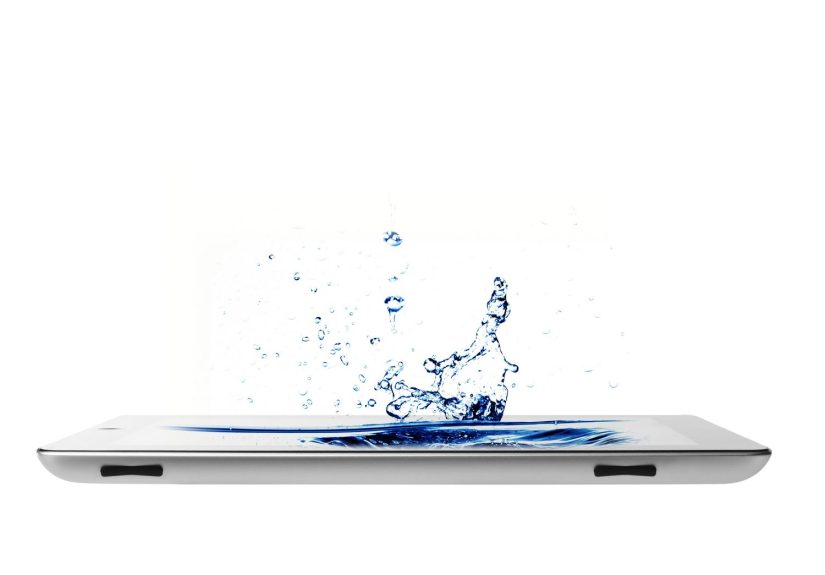
If you’ve ever carried your iPad to the pool, propped it on a kitchen counter near a boiling pasta pot, or balanced it heroically on a towel at the beach like it’s starring in its own vacation commercial, you are not alone. The iPad is excellent at many things: streaming movies, running your life, pretending you’ll finally organize your email. What it is not excellent at is becoming an amphibian.
That’s the part many people discover a little too late. A quick splash feels harmless. A humid bathroom seems innocent. A few drops of pool water look like no big deal. Then the speakers sound muffled, the charging port gets moody, the display acts haunted, and suddenly your relaxing day includes googling “can electronics survive my bad decisions?”
So before you bring your iPad anywhere near a sink, shower, pool, bathtub, boat, beach, hot tub, rainy patio, or “just one second, I’ll hold it over the water for a photo” situation, here’s what you need to know. This guide covers what’s actually risky, what to do if your iPad gets wet, which common myths to ignore, and how to protect your device without wrapping it in blind optimism.
The Big Truth: Your iPad Is Not a Pool Toy
Let’s start with the headline-worthy truth: your iPad is not waterproof. It is also not something you should casually trust around water because it “looks sealed.” It may look sleek and sturdy, but it still has speakers, microphones, seams, buttons, and a charging port. In other words, it has multiple opportunities to let moisture sneak in and wreck your day.
Apple’s guidance is pretty clear in tone, even when it sounds polite about it: liquid can damage an iPad and its battery. That means water exposure is not a cute little lifestyle challenge. It is a real hardware risk. And unlike your friend who insists their phone survived three pool parties and one kayaking incident, your iPad does not improve its odds because somebody else got lucky.
Also important: there is a difference between “it survived a few drops” and “it’s safe near water.” Those are not the same sentence. Plenty of gadgets survive mild accidents. That does not make them water-friendly. It just means physics occasionally grants mercy.
Where People Most Commonly Take Risks With an iPad
At the Beach
The beach is basically a full-service electronics hazard center. You have water, salt, sand, heat, sunscreen, wind, and the overwhelming urge to take one more photo with wet hands. Saltwater is especially rude because it leaves residue behind, while sand scratches screens and can creep into ports, buttons, and speaker openings.
Even if your iPad never touches the ocean, beach conditions still work against it. A splash from a wave, a damp towel, a bag full of sandy chaos, or a blazing afternoon sun can all cause problems. So if your dream is reading on an iPad beside the water, the smart move is protection first, vibes second.
In the Bathroom
Yes, people watch shows in the tub. Yes, people read recipes in the bathroom while getting ready. Yes, people answer emails in places where emails should frankly not go. But bathrooms bring splash risk, steam, and humidity. Steam may look less dramatic than a spill, but moisture in the wrong place is still moisture. Your iPad does not care whether it was attacked by a rogue wave or a heroic bubble bath.
In the Kitchen
Kitchens are surprisingly dangerous for tablets. There’s steam from kettles and pots, little splatters from sauces, damp counters, wet hands, and the classic move of setting your iPad too close to the sink “just for a second.” Add grease and flour to the mix, and now your screen looks like it joined a cooking competition against its will.
On Boats, Docks, and Pool Decks
These are the places where people tend to overestimate their grip and underestimate gravity. A slippery hand, a sudden splash, a gust of wind, or one awkward body turn, and that expensive tablet becomes a story you tell with a thousand-yard stare. If you really need to use an iPad around open water, secure it physically. Do not rely on “I’m being careful.” History is full of people who said that moments before disaster.
What to Do If Your iPad Gets Wet
First, do not panic. Second, do not do something dramatic and unhelpful. Speed matters, but so does not making things worse.
1. Get It Away From Water Immediately
If it’s in the water, remove it fast. Every second counts. This is not the moment to freeze and whisper, “Nooooo,” like you’re in a movie. Rescue first, regret later.
2. Turn It Off
If the iPad is on and still responsive, shut it down. If it was already off, leave it off. Electricity and moisture are a terrible couple. The more you poke at a wet iPad, the more you risk short-circuiting internal components.
3. Remove the Case and Dry the Outside
Take off the case, keyboard cover, sleeve, or anything else trapping moisture. Use a clean, soft, dry cloth to wipe the device thoroughly. Pay special attention to the edges, buttons, speaker grilles, camera area, and charging port area. The goal is to remove visible moisture, not to start a home science experiment.
4. Do Not Charge It Yet
This is where patience earns its paycheck. If there’s any chance water reached the charging area, do not plug it in. A wet charging port is an excellent way to turn a manageable problem into a more expensive one.
5. Let It Dry With Airflow
Place the iPad in a cool, dry place with decent airflow. Prop it so gravity can help moisture escape rather than settle. Give it real time to dry. Think in terms of 24 to 48 hours, not “I waited through one coffee break.”
6. Watch for Warning Signs
If the iPad later shows screen glitches, weird colors, speaker distortion, charging issues, camera fog, overheating, or random restarts, liquid may have caused internal damage. At that point, professional repair help is the sensible move.
What Not to Do After Water Exposure
Do Not Use a Hair Dryer
Blast enough heat at electronics and you may drive moisture deeper, warp components, or stress the battery. A hair dryer feels proactive, but it often belongs in the “confidently wrong” category.
Do Not Bake It, Microwave It, or Put It in Direct Heat
This should not need saying, and yet the internet keeps making it necessary. Your iPad is not a casserole and should never be treated like one.
Do Not Stick Rice in the Problem
The rice trick has incredible brand awareness and questionable usefulness. It is famous because it sounds clever, not because it is the best solution. Rice dust and particles can get into openings, and open-air drying or silica gel is generally the better play. Rice is for dinner, not device recovery.
Do Not Jam Cotton Swabs or Paper Towels Into Ports
This can leave fibers behind or push moisture and debris farther in. Translation: you may feel productive while quietly making things worse.
How to Protect an iPad Before Water Becomes a Problem
Use a Protective Case That Covers More Than the Screen
A thin folio case is nice for scratches and casual bumps, but if you’re going near water, you want something more serious. Look for a rugged case or a waterproof pouch designed for tablets. Bonus points if it covers the edges well and doesn’t leave your iPad feeling one accidental sneeze away from doom.
Test Any Waterproof Pouch Before Trusting It
This step is gloriously boring and incredibly important. Before you put your iPad inside a waterproof pouch or case, test the pouch first. Use a paper towel inside and try the bag in a sink or tub. If the towel stays dry, that’s encouraging. If it doesn’t, congratulations on saving your iPad by sacrificing paper.
Keep It in an Inner Pocket or Dry Bag
If you’re traveling, boating, or beach-going, the best place for an iPad is usually not in your hand. It’s in a protected inner compartment, preferably inside a dry bag, padded sleeve, or sealed pouch. The less exposure, the fewer opportunities for chaos.
Use a Mount Around Open Water
If you need an iPad for navigation, music, work, or reference on a boat or dock, consider a secure mount. This reduces the two most common causes of disaster: dropping it and pretending your balance is better than it is.
Back It Up Before Adventure Finds You
If your iPad is going on trips, near pools, into the kitchen, or anywhere remotely “life happens,” keep backups current. iCloud backup is the low-drama option, and computer backups are smart too. Devices can sometimes be replaced. Lost files, notes, art, and photos hurt more.
Water Is Not the Only Villain: Heat, Humidity, and Gunk Matter Too
One of the sneakiest mistakes people make is focusing only on splash risk. But the environment around water can be rough on an iPad even when the tablet stays technically dry.
Heat is a big one. Apple’s own operating guidance puts iPad use in a moderate temperature range, which means leaving it in direct sun on a hot chair, towel, or dashboard is a bad plan. Humidity is another issue. Even without visible droplets, extreme moisture in the air is not ideal for delicate electronics.
Then there’s the weird cocktail of everyday summer mess: sunscreen, lotion, bug spray, salty fingers, chlorinated water residue, and damp bags. None of these are things you want hanging around a screen, charging port, or speaker grille. Your iPad may survive one sloppy afternoon, but that doesn’t mean repeated exposure is wise.
Does AppleCare+ Help If Water Wins?
The standard “please let this be covered” hope is not a strategy. If you’re worried about accidental damage, AppleCare+ matters more than wishful thinking. AppleCare+ is the coverage option that includes accidents like spills and liquid damage for a service fee. That doesn’t make water damage fun, free, or emotionally uplifting, but it can make the aftermath much less painful than paying full repair or replacement cost.
So no, your warranty is not a tiny lifeguard in a red swimsuit. If you regularly use your iPad in kitchens, around kids, on boats, near pools, or in other splash-prone settings, accidental-damage coverage is worth considering.
Should You Ever Take an iPad Near Water?
Yes, but with boundaries. Water-adjacent use is not automatically foolish. Plenty of people use an iPad safely on trips, in kitchens, on patios, and by pools. The key difference is whether you act like the iPad is fragile technology or like it’s a waterproof magazine with Wi-Fi.
If you use the right case, keep backups current, avoid charging when wet, and treat beaches, boats, bathrooms, and kitchens with healthy suspicion, you can dramatically reduce the odds of disaster. The smartest mindset is simple: near water is fine, unprotected around water is where the trouble starts.
Conclusion
Taking your iPad near water is not automatically a terrible idea, but it is one of those situations where a little caution saves a lot of money. The iPad is a powerful, portable device, not a waterproof adventure buddy. If you remember that one sentence, you’re already ahead of a surprising number of people.
Use protection that actually protects. Keep the device dry, cool, and backed up. Skip heat and rice if it gets wet. Don’t charge it until you’re confident it’s dry. And whenever you feel tempted to balance it next to a tub, pool edge, or sink while telling yourself “it’ll be fine,” hear a tiny voice in your head whispering: this is how expensive stories begin.
Experiences People Commonly Have When They Bring an iPad Near Water
One of the most common experiences is the “I was only using it for a recipe” moment. Someone props the iPad on a kitchen counter near the sink, turns to rinse vegetables, and a quick splash lands closer to the speaker grille than expected. At first, nothing seems wrong. Then the speaker sounds fuzzy, the screen gets smudgy from wet hands, and the owner spends the next hour wondering whether one careless splash just became a repair bill. It is a small, ordinary incident, which is exactly why it happens so often.
Another familiar experience happens at the beach. The iPad never even touches the ocean, yet it still comes home looking like it survived a survival challenge. There’s sand in the case, sunscreen on the screen, salt in the air, and heat baking the whole device while it sits on a towel. Many people think water is the only threat, then realize later that beach conditions are basically an obstacle course for electronics. The lesson usually arrives when the charging port feels gritty or the screen starts looking dull and streaky.
Then there is the classic bathtub or bathroom incident. Someone wants to watch a show while soaking, sets the iPad nearby, and feels wildly efficient and luxurious for about twenty minutes. Then steam builds up, a damp hand grabs the edge, or the tablet slips onto a wet surface. Even if the iPad escapes full immersion, the entire experience suddenly stops feeling relaxing. It turns into a tense session of wiping, powering down, and promising yourself that maybe a book was the better idea all along.
Poolside stories are another category altogether. A person sits under an umbrella, answers messages, changes music, maybe checks a document, and feels very productive in a swimsuit. Then a cannonball happens nearby, or a child with wet hands decides they also need to use the iPad immediately. These moments are funny later and dreadful in real time. What people usually remember is how fast “I’m just sitting near the pool” turns into “Why is the speaker muffled and why am I suddenly negotiating with fate?”
Boats create the most dramatic experiences because they combine water, wind, motion, and false confidence. People often bring an iPad aboard for maps, reading, entertainment, or work, and everything feels fine until the boat rocks, the deck gets slippery, or a wave adds a plot twist. In those moments, the biggest regret is usually not buying a better case, pouch, or mount before the trip. The near-drop or actual drop becomes a memorable lesson in how quickly convenience can become panic.
What ties all of these experiences together is not carelessness so much as optimism. People assume they’ll notice danger in time. They assume one splash won’t matter. They assume a case offers more protection than it really does. And most of all, they assume the iPad will be as forgiving as they need it to be. Sometimes it is. Sometimes it absolutely is not. That’s why the best water strategy is never heroic rescue. It is simple prevention, backed-up data, and enough caution to keep your nice tablet from becoming a very expensive conversation piece.